Apple App Store · Business · Free
Rating 4.75 (1008 ratings) · Version 3.5.40
Updated Sep 22, 2026
Zoho Inventory is a powerful, online inventory management app designed to simplify order management, stock tracking, and warehouse operations for businesses of all sizes. Whether you manage retail, wholesale, or ecommerce, Zoho Inventory helps you stay in control of your inventory and sales anytime, anywhere—on your iPhone, iPad, or Apple Watch.
Here's how Zoho Inventory makes inventory operations simple and effective.
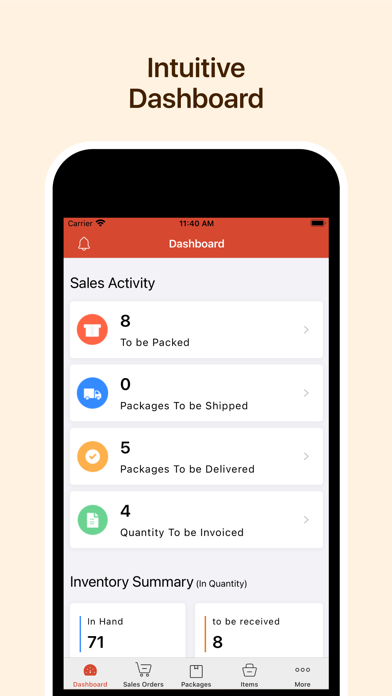
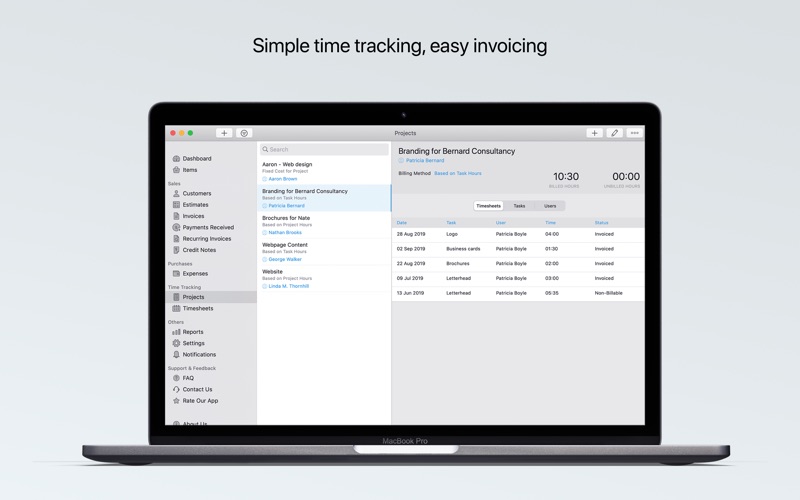
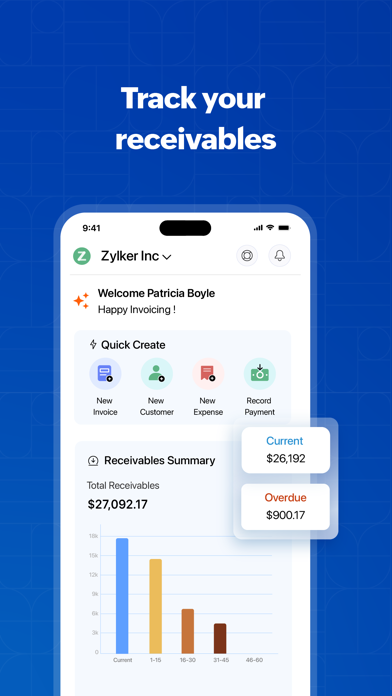
Dashboard - Monitor your complete inventory cycle, from sales orders to current stock, through a real-time dashboard.
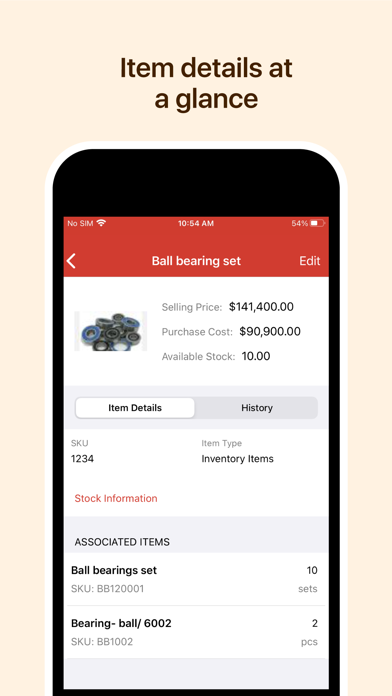
Inventory management - Add and manage items, group them into categories, and track your kits and assembly items right from the app.
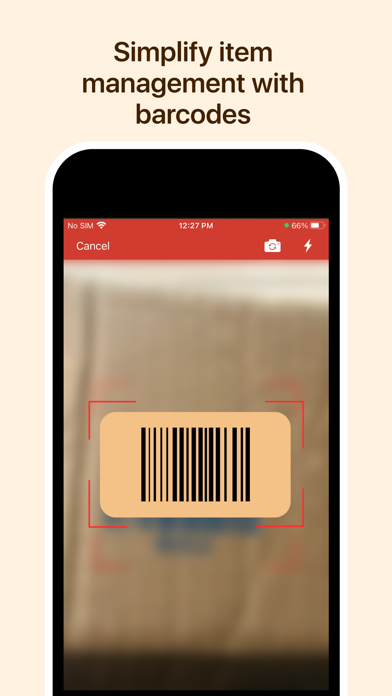
Barcode scanning - Simplify your order processing using the built-in barcode scanning option. Use your iPhone or iPad to scan barcodes and streamline your orders.
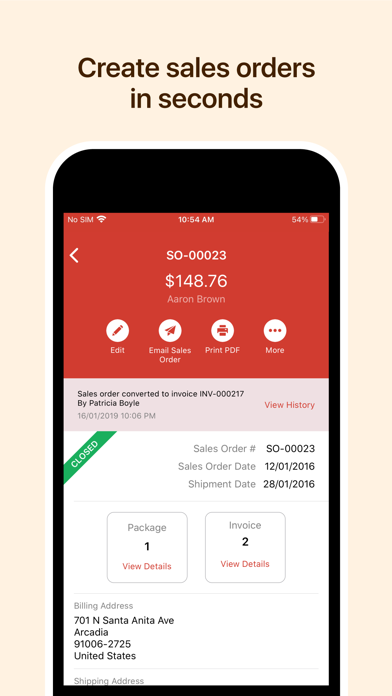
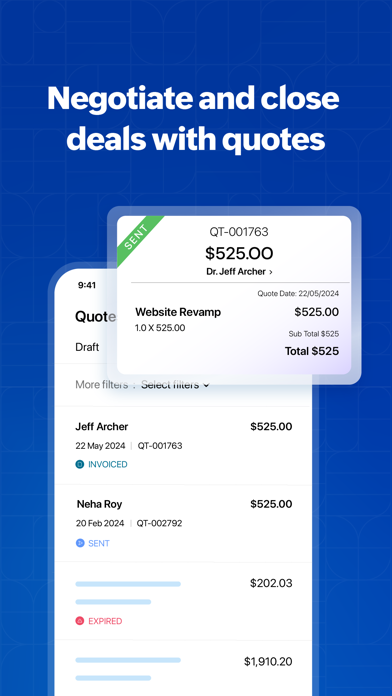
Order management - Generate and manage sales and purchase orders with just a few taps. Add contacts and select items effortlessly.
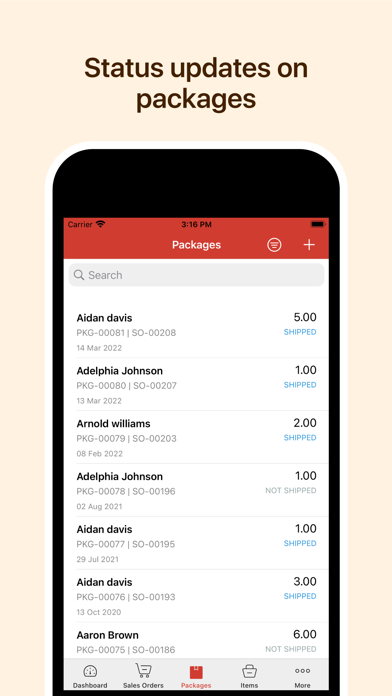
Picklists and packages - Pick items from your warehouses using your mobile phone. You can scan SKUs and serial and batch numbers during the picking process. Generate package slips on the go, too.
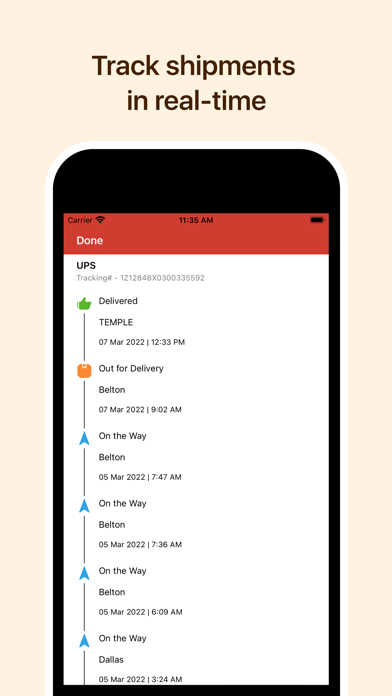
Real-time shipping - Generate labels from shipping carriers, track orders, and send real-time shipment updates to your customers.
Inventory tracking - Stay on top of your inventory using serial numbers and batch tracking to track item movement and expiration dates.
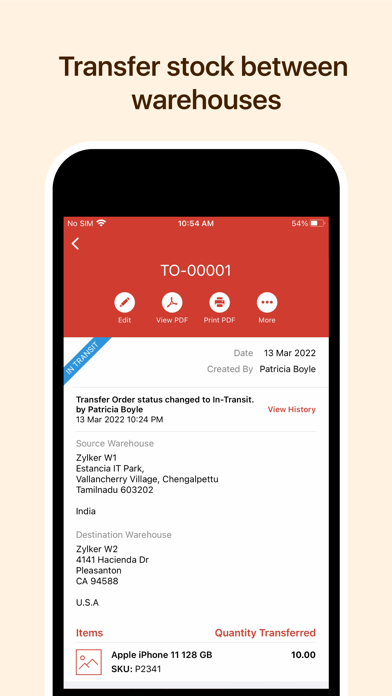
Warehouses - Add multiple warehouse or store locations, and track stock by location. Transfer stock between warehouses based on stock requirements.
Bin locations - Organize and manage stock within warehouses using bin locations. Sort your items into bins and manage them effortlessly. Conduct periodic stock counts for more accuracy.
Multi-channel sales - Selling online? Orders from your ecommerce platforms automatically sync into the app, and your inventory updates across all your sales channels.
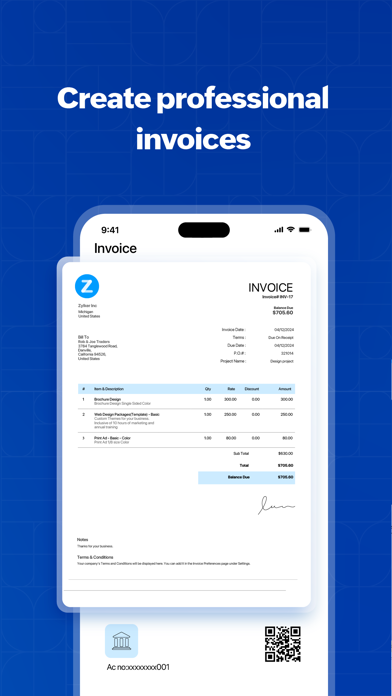
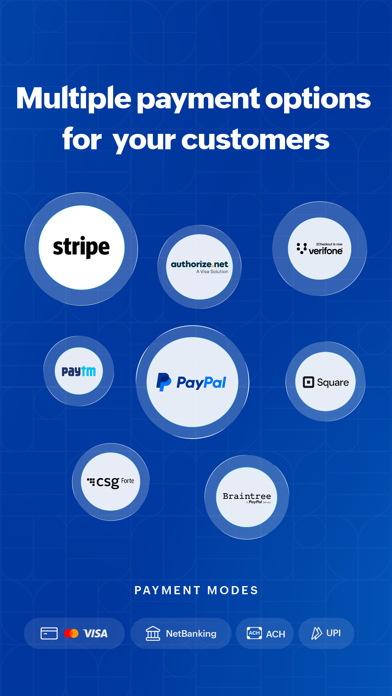
Online payments - Keep tabs on invoices, record bill payments, and share invoice links via iMessage for quicker settlements.
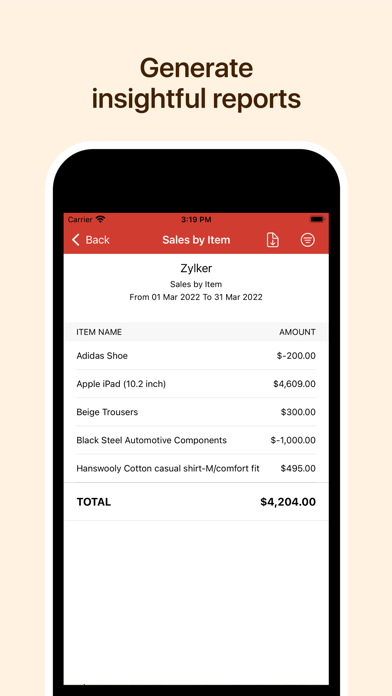
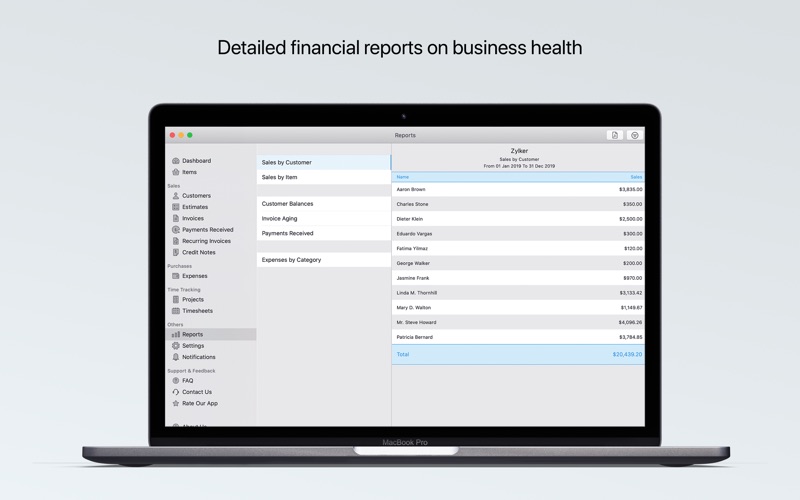
Reports - From sales to stock movement, get reports that help you make smarter business decisions.
Got a question or a suggestion? We’d love to hear from you! Just drop us an email at support@zohoinventory.com.
Zoho’s Privacy Policy and Terms & Conditions:
- https://www.zoho.com/privacy.html
- https://www.zoho.com/terms.html
- Developer
- Zoho Corporation
- Seller
- Zoho Corporation
- App ID
- 1037960494
Store details & evidence
Apple appZoho Inventory Management App
Published by a third-party source
- Observed via
- https://itunes.apple.com/lookup?id=1037960494
Published by a third-party source
- Observed via
- https://itunes.apple.com/lookup?id=1037960494
Apple app ID1037960494
Published by a third-party source
- Observed via
- https://itunes.apple.com/lookup?id=1037960494
Apple app bundle IDcom.zoho.zinventory
Published by a third-party source
- Observed via
- https://itunes.apple.com/lookup?id=1037960494
Apple developerZoho Corporation
Published by a third-party source
- Observed via
- https://itunes.apple.com/lookup?id=1037960494 → https://itunes.apple.com/lookup?id=1184196693 → https://itunes.apple.com/lookup?id=1348702782 → https://itunes.apple.com/lookup?id=1477507499 → https://itunes.apple.com/lookup?id=413017364 → https://itunes.apple.com/lookup?id=710446064
Apple sellerZoho Corporation
Published by a third-party source
- Observed via
- https://itunes.apple.com/lookup?id=1037960494 → https://itunes.apple.com/lookup?id=1184196693 → https://itunes.apple.com/lookup?id=1348702782 → https://itunes.apple.com/lookup?id=1477507499 → https://itunes.apple.com/lookup?id=413017364 → https://itunes.apple.com/lookup?id=710446064
Published by a third-party source
- Observed via
- https://itunes.apple.com/lookup?id=1037960494 → https://itunes.apple.com/lookup?id=1184196693 → https://itunes.apple.com/lookup?id=1348702782 → https://itunes.apple.com/lookup?id=413017364 → https://itunes.apple.com/lookup?id=710446064
Apple app categoryBusiness
Published by a third-party source
- Observed via
- https://itunes.apple.com/lookup?id=1037960494 → https://itunes.apple.com/lookup?id=1184196693 → https://itunes.apple.com/lookup?id=1477507499 → https://itunes.apple.com/lookup?id=413017364 → https://itunes.apple.com/lookup?id=710446064
Apple app version3.5.40
Published by a third-party source
- Observed via
- https://itunes.apple.com/lookup?id=1037960494
Apple app first released2015-09-29T02:59:32Z
Published by a third-party source
- Observed via
- https://itunes.apple.com/lookup?id=1037960494
Apple app last updated2026-09-22T02:24:03Z
Published by a third-party source
- Observed via
- https://itunes.apple.com/lookup?id=1037960494
Apple app rating4.75
Published by a third-party source
- Observed via
- https://itunes.apple.com/lookup?id=1037960494
Apple app ratings count1008
Published by a third-party source
- Observed via
- https://itunes.apple.com/lookup?id=1037960494
Apple app priceFree
Published by a third-party source
- Observed via
- https://itunes.apple.com/lookup?id=1037960494 → https://itunes.apple.com/lookup?id=1184196693 → https://itunes.apple.com/lookup?id=1348702782 → https://itunes.apple.com/lookup?id=1477507499 → https://itunes.apple.com/lookup?id=413017364 → https://itunes.apple.com/lookup?id=710446064
Apple app content rating4+
Published by a third-party source
- Observed via
- https://itunes.apple.com/lookup?id=1037960494 → https://itunes.apple.com/lookup?id=1184196693 → https://itunes.apple.com/lookup?id=1348702782 → https://itunes.apple.com/lookup?id=1477507499 → https://itunes.apple.com/lookup?id=413017364 → https://itunes.apple.com/lookup?id=710446064
Apple app minimum iOS16.0
Published by a third-party source
- Observed via
- https://itunes.apple.com/lookup?id=1037960494 → https://itunes.apple.com/lookup?id=1184196693 → https://itunes.apple.com/lookup?id=413017364 → https://itunes.apple.com/lookup?id=710446064
Apple app languagesAR, BG, HR, NL, EN, FR, DE, EL, GU, HI, ID, IT, JA, KN, KO, MS, MR, PL, PT, ZH, ES, SV, TA, TE, TH, VI
Published by a third-party source
- Observed via
- https://itunes.apple.com/lookup?id=1037960494 → https://itunes.apple.com/lookup?id=1184196693 → https://itunes.apple.com/lookup?id=1477507499 → https://itunes.apple.com/lookup?id=413017364 → https://itunes.apple.com/lookup?id=710446064
Apple app size (bytes)345,024,512
Published by a third-party source
- Observed via
- https://itunes.apple.com/lookup?id=1037960494
Published by a third-party source
- Observed via
- https://itunes.apple.com/lookup?id=1037960494
Published by a third-party source
- Observed via
- https://itunes.apple.com/lookup?id=1037960494
Apple app screenshotshttps://is1-ssl.mzstatic.com/image/thumb/PurpleSource122/v4/55/fd/0f/55fd0f1e-f8e9-a505-6942-fc1f8ed8a9c3/3eef4b0b-5f23-49a6-94b4-e974c255f7d9_iphone8-img-8.png/392x696bb.png, https://is1-ssl.mzstatic.com/image/thumb/PurpleSource112/v4/49/bf/c1/49bfc152-f0fd-0009-8f27-1b7678b7601c/90968cce-424b-413f-807f-64d43dab6787_iphone8-img-7.png/392x696bb.png, https://is1-ssl.mzstatic.com/image/thumb/PurpleSource112/v4/02/aa/ff/02aaff66-a590-5026-a26d-51a80be51e39/38ca52fe-0317-44da-979f-ccf9985c97f2_iphone8-img-2.png/392x696bb.png, https://is1-ssl.mzstatic.com/image/thumb/PurpleSource112/v4/aa/ba/f2/aabaf2cd-ce02-51af-38c0-6e3fe44958db/5a601618-8aff-4eda-9bc0-c0c0eaa6c74e_iphone8-img-1.png/392x696bb.png, https://is1-ssl.mzstatic.com/image/thumb/PurpleSource112/v4/28/dc/ea/28dcea58-2196-117c-67d5-a0f61a20747b/9f90cc92-a165-4856-aee8-352936505e02_iphone8-img-3.png/392x696bb.png, https://is1-ssl.mzstatic.com/image/thumb/PurpleSource122/v4/17/3d/cd/173dcd89-681a-65fe-fe91-dfec421bae70/ecdfaa1a-e022-40ba-a600-60f0800bb6e9_iphone8-img-4.png/392x696bb.png, https://is1-ssl.mzstatic.com/image/thumb/PurpleSource122/v4/80/81/b3/8081b3ff-df0b-e88f-9ee0-59796b47ca9e/0214770a-b091-4bfd-812b-dfb8a822a6cd_iphone8-img-6.png/392x696bb.png, https://is1-ssl.mzstatic.com/image/thumb/PurpleSource112/v4/02/48/21/0248214c-70fa-78f5-6a5d-91ab9d980c2d/4e18054f-464c-4f85-a017-9311788ac44f_iphone8-img-5.png/392x696bb.png
Published by a third-party source
- Observed via
- https://itunes.apple.com/lookup?id=1037960494
Apple app descriptionZoho Inventory is a powerful, online inventory management app designed to simplify order management, stock tracking, and warehouse operations for businesses of all sizes. Whether you manage retail, wholesale, or ecommerce, Zoho Inventory helps you stay in control of your inventory and sales anytime, anywhere—on your iPhone, iPad, or Apple Watch.
Here's how Zoho Inventory makes inventory operations simple and effective.
Dashboard - Monitor your complete inventory cycle, from sales orders to current stock, through a real-time dashboard.
Inventory management - Add and manage items, group them into categories, and track your kits and assembly items right from the app.
Barcode scanning - Simplify your order processing using the built-in barcode scanning option. Use your iPhone or iPad to scan barcodes and streamline your orders.
Order management - Generate and manage sales and purchase orders with just a few taps. Add contacts and select items effortlessly.
Picklists and packages - Pick items from your warehouses using your mobile phone. You can scan SKUs and serial and batch numbers during the picking process. Generate package slips on the go, too.
Real-time shipping - Generate labels from shipping carriers, track orders, and send real-time shipment updates to your customers.
Inventory tracking - Stay on top of your inventory using serial numbers and batch tracking to track item movement and expiration dates.
Warehouses - Add multiple warehouse or store locations, and track stock by location. Transfer stock between warehouses based on stock requirements.
Bin locations - Organize and manage stock within warehouses using bin locations. Sort your items into bins and manage them effortlessly. Conduct periodic stock counts for more accuracy.
Multi-channel sales - Selling online? Orders from your ecommerce platforms automatically sync into the app, and your inventory updates across all your sales channels.
Online payments - Keep tabs on invoices, record bill payments, and share invoice links via iMessage for quicker settlements.
Reports - From sales to stock movement, get reports that help you make smarter business decisions.
Got a question or a suggestion? We’d love to hear from you! Just drop us an email at support@zohoinventory.com.
Zoho’s Privacy Policy and Terms & Conditions:
- https://www.zoho.com/privacy.html
- https://www.zoho.com/terms.html
Published by a third-party source
- Observed via
- https://itunes.apple.com/lookup?id=1037960494
Apple app release notes (current version)Make inventory management easier with new updates. From AI-powered report insights and image scanning to Siri Shortcuts, flexible iPad windows, and more, manage your inventory wherever you work.
Introducing AI Report Assistance
Ask questions in natural language to find relevant reports, preview them as PDFs, and get AI-powered summaries of key insights.
Capture Item Details from Images
Capture an item image using your camera or photo library, and let Zoho Inventory automatically extract and fill in the relevant item details.
Enable this in: Settings > App Preferences > Scan and prefill details
Capture Batch Details
Scan a batch label using your camera or photo library to automatically capture batch details, manufactured dates, expiry dates, and other details.
Enable this in: Settings > App Preferences > Scan and prefill details
Resizable App Window
Resize the Zoho Inventory app window to any shape and size on iPad, making it easier to multitask alongside other apps.
Get More Done with Siri
Use Siri Shortcuts to search for customers, add files to Documents, and review or approve sales orders and other transactions without opening the app.
Larger Home Screen Widget
View more inventory information, including low-stock items and shipments, with the larger Zoho Inventory widget on your iPhone Home Screen.
Scan Business Cards
Scan a business card to capture customer details automatically and fill in the relevant fields, reducing manual data entry.
Published by a third-party source
- Observed via
- https://itunes.apple.com/lookup?id=1037960494
Published by the company
- Observed via
- https://apps.apple.com/app/apple-store/id1037960494?pt=423641&ct=help_page_footer&mt=8

Apple App Store
Rating 4.8 (222 ratings) · Version 3.2.6
Updated Sep 15, 2026
Zoho Billing is an end-to-end billing software designed to help SMEs simplify their billing operations and drive business growth. From creating quotes and invoices to handling recurring payments and automating billing cycles, you can handle it all from the palm of your hand.
Zoho Billing is available on iPhone, iPad, and Mac.
Here's how the Zoho Billing app is transforming businesses like yours:
"I access the Zoho Billing mobile app every morning to take a quick look at the numbers. As a COO, it helps me stay updated on our business health, no matter where I am."
Let's look at everything you need to know about Zoho Billing, the comprehensive billing application.
GET INSTANT BUSINESS INSIGHTS AT YOUR FINGERTIPS
Gain 360° visibility into your business with a comprehensive dashboard that gives you insights into your net revenue receivables and key subscription metrics like signups, MRR, churn, ARPU, and customer LTV.
MANAGE YOUR PRODUCTS FLEXIBLY
Easily create products, subscription plans, and services according to your business strategy. Close deals easily using tailored coupons, discounts, and price lists for your customers.
ENSURE A SMOOTH CUSTOMER JOURNEY
Manage subscription changes easily, including upgrades, downgrades, cancellations, and reactivations, all from one centralized hub.
SIMPLIFY YOUR PAYMENT COLLECTION
Enhance the way you handle transactions, from sending payment links to managing various payment types, while ensuring secure transactions.
COLLECT PAYMENTS EASILY
Accept multiple payment methods, including payment cards, ACH, mobile payments, and other popular regional methods, both online and offline.
RETAIN YOUR CUSTOMERS WITH AUTOMATED PAYMENT ALERTS
Reduce involuntary customer churn rates with a carefully optimized dunning system that automatically sends out reminders to delinquent customers behind on their payments.
MANAGE PROJECTS EASILY
Track billable hours and invoice customers for your work with intuitive time-tracking features.
STREAMLINE YOUR BILLING EXPERIENCE
• Create and send quotes in minutes to speed up the sales cycle.
• Convert approved quotes to invoices automatically to ensure timely payments.
• Choose and customize billing templates that fit your style.
• Handle cash flow better by bringing all billable and non-billable expenses in one place.
ENHANCE THE CUSTOMER ENGAGEMENT EXPERIENCE
Offer your clients the convenience of accessing all their transactions, invoices, subscription updates, and more in one place from the customer portal.
GET IMMEDIATE ACCESS TO BUSINESS ANALYTICS
Obtain quick insights into your business with 50+ reports on sales, receivables, revenue, churn, and subscription metrics like signups, active customers, MRR, ARPU, and LTV.
We are continuously refining your app for seamless integration with your Apple device. Here are some of the unique functionalities of Zoho Billing designed specifically for iOS users.
PUSH NOTIFICATIONS: The Zoho Billing mobile app provides real-time updates on transactions and other important customer-related events.
LOCK SCREEN WIDGET: Create invoices and track time from the lock screen widget.
GPS TRACKING: Track your mileage with GPS and later convert them to expenses.
BUSINESS SUMMARY ON THE HOME SCREEN: View activations, signups, active customers, net cancellations, churn, payment failures, MRR , ARPU, LTV, and under risk subscriptions.
DOCUMENT SCANNING: Easily capture documents and attach them to transactions
APP LOCK: With an extra layer of security added to your Zoho Billing mobile application, you can prevent unauthorized access to your critical financial information.
Zoho Billing is trusted by thousands of businesses across the globe. Download the app and simplify your business operations today.
Privacy Policy and Terms & Conditions:
- https://www.zoho.com/privacy.html
- https://www.zoho.com/terms.html
Have questions? Write to us at support@zohobilling.com.
- App ID
- 1184196693
Store details & evidence
Apple appZoho Billing Management App
Published by a third-party source
- Observed via
- https://itunes.apple.com/lookup?id=1184196693
Published by a third-party source
- Observed via
- https://itunes.apple.com/lookup?id=1184196693
Apple app ID1184196693
Published by a third-party source
- Observed via
- https://itunes.apple.com/lookup?id=1184196693
Apple app bundle IDcom.zoho.zsubscriptions
Published by a third-party source
- Observed via
- https://itunes.apple.com/lookup?id=1184196693
Apple app version3.2.6
Published by a third-party source
- Observed via
- https://itunes.apple.com/lookup?id=1184196693
Apple app first released2017-01-03T05:47:12Z
Published by a third-party source
- Observed via
- https://itunes.apple.com/lookup?id=1184196693
Apple app last updated2026-09-15T04:03:47Z
Published by a third-party source
- Observed via
- https://itunes.apple.com/lookup?id=1184196693
Apple app rating4.8
Published by a third-party source
- Observed via
- https://itunes.apple.com/lookup?id=1184196693
Apple app ratings count222
Published by a third-party source
- Observed via
- https://itunes.apple.com/lookup?id=1184196693
Apple app size (bytes)323,867,648
Published by a third-party source
- Observed via
- https://itunes.apple.com/lookup?id=1184196693
Published by a third-party source
- Observed via
- https://itunes.apple.com/lookup?id=1184196693
Published by a third-party source
- Observed via
- https://itunes.apple.com/lookup?id=1184196693
Apple app screenshotshttps://is1-ssl.mzstatic.com/image/thumb/PurpleSource211/v4/29/10/68/291068b4-888c-1957-150a-ce712038b182/ZBL_-_1.png/392x696bb.png, https://is1-ssl.mzstatic.com/image/thumb/PurpleSource221/v4/9f/33/95/9f3395a0-5565-4754-91e9-628f76576ced/Tap_to_Pay_-_2.png/392x696bb.png, https://is1-ssl.mzstatic.com/image/thumb/Purple221/v4/80/d0/bf/80d0bffe-17c4-1d72-5c72-03af0e463ac7/5b8465ec-545c-4eff-b5ce-022fc4d5935a_3.png/392x696bb.png, https://is1-ssl.mzstatic.com/image/thumb/Purple211/v4/51/d2/07/51d207b3-edf2-89f2-9e64-8f62a25e0ce3/7f8a2a6e-44d2-465a-9a76-9d7c624a3816_4.png/392x696bb.png, https://is1-ssl.mzstatic.com/image/thumb/Purple221/v4/3e/82/1d/3e821d94-9f89-ae08-7033-b5b7d652b4ed/dc599cc5-3024-46ae-8ba3-4c6560cdfd81_5.png/392x696bb.png, https://is1-ssl.mzstatic.com/image/thumb/Purple211/v4/8b/b8/e7/8bb8e75e-a562-6b30-7cc7-75cea2d50780/dff2da90-b6f0-4e9a-92a4-7c964e992dd9_6.png/392x696bb.png, https://is1-ssl.mzstatic.com/image/thumb/Purple211/v4/55/32/84/55328418-5cb0-8cec-a5cf-d48338027986/57f09697-17fe-435e-8955-fb2c8949c88a_7.png/392x696bb.png, https://is1-ssl.mzstatic.com/image/thumb/Purple211/v4/eb/55/a6/eb55a613-ce4a-47fc-a412-9ab7290a3975/c6494f89-8ed3-4447-ae89-db5233358a39_8.png/392x696bb.png
Published by a third-party source
- Observed via
- https://itunes.apple.com/lookup?id=1184196693
Apple app descriptionZoho Billing is an end-to-end billing software designed to help SMEs simplify their billing operations and drive business growth. From creating quotes and invoices to handling recurring payments and automating billing cycles, you can handle it all from the palm of your hand.
Zoho Billing is available on iPhone, iPad, and Mac.
Here's how the Zoho Billing app is transforming businesses like yours:
"I access the Zoho Billing mobile app every morning to take a quick look at the numbers. As a COO, it helps me stay updated on our business health, no matter where I am."
Let's look at everything you need to know about Zoho Billing, the comprehensive billing application.
GET INSTANT BUSINESS INSIGHTS AT YOUR FINGERTIPS
Gain 360° visibility into your business with a comprehensive dashboard that gives you insights into your net revenue receivables and key subscription metrics like signups, MRR, churn, ARPU, and customer LTV.
MANAGE YOUR PRODUCTS FLEXIBLY
Easily create products, subscription plans, and services according to your business strategy. Close deals easily using tailored coupons, discounts, and price lists for your customers.
ENSURE A SMOOTH CUSTOMER JOURNEY
Manage subscription changes easily, including upgrades, downgrades, cancellations, and reactivations, all from one centralized hub.
SIMPLIFY YOUR PAYMENT COLLECTION
Enhance the way you handle transactions, from sending payment links to managing various payment types, while ensuring secure transactions.
COLLECT PAYMENTS EASILY
Accept multiple payment methods, including payment cards, ACH, mobile payments, and other popular regional methods, both online and offline.
RETAIN YOUR CUSTOMERS WITH AUTOMATED PAYMENT ALERTS
Reduce involuntary customer churn rates with a carefully optimized dunning system that automatically sends out reminders to delinquent customers behind on their payments.
MANAGE PROJECTS EASILY
Track billable hours and invoice customers for your work with intuitive time-tracking features.
STREAMLINE YOUR BILLING EXPERIENCE
• Create and send quotes in minutes to speed up the sales cycle.
• Convert approved quotes to invoices automatically to ensure timely payments.
• Choose and customize billing templates that fit your style.
• Handle cash flow better by bringing all billable and non-billable expenses in one place.
ENHANCE THE CUSTOMER ENGAGEMENT EXPERIENCE
Offer your clients the convenience of accessing all their transactions, invoices, subscription updates, and more in one place from the customer portal.
GET IMMEDIATE ACCESS TO BUSINESS ANALYTICS
Obtain quick insights into your business with 50+ reports on sales, receivables, revenue, churn, and subscription metrics like signups, active customers, MRR, ARPU, and LTV.
We are continuously refining your app for seamless integration with your Apple device. Here are some of the unique functionalities of Zoho Billing designed specifically for iOS users.
PUSH NOTIFICATIONS: The Zoho Billing mobile app provides real-time updates on transactions and other important customer-related events.
LOCK SCREEN WIDGET: Create invoices and track time from the lock screen widget.
GPS TRACKING: Track your mileage with GPS and later convert them to expenses.
BUSINESS SUMMARY ON THE HOME SCREEN: View activations, signups, active customers, net cancellations, churn, payment failures, MRR , ARPU, LTV, and under risk subscriptions.
DOCUMENT SCANNING: Easily capture documents and attach them to transactions
APP LOCK: With an extra layer of security added to your Zoho Billing mobile application, you can prevent unauthorized access to your critical financial information.
Zoho Billing is trusted by thousands of businesses across the globe. Download the app and simplify your business operations today.
Privacy Policy and Terms & Conditions:
- https://www.zoho.com/privacy.html
- https://www.zoho.com/terms.html
Have questions? Write to us at support@zohobilling.com.
Published by a third-party source
- Observed via
- https://itunes.apple.com/lookup?id=1184196693
Apple app release notes (current version)Zoho Billing brings the power of Apple OS 27 to your everyday billing tasks. Use your voice, on-device intelligence, and widgets to manage your business with less effort.
AI-Powered Reports:
Describe the report you want in natural language, and Zoho Billing generates the relevant report with a summary of its key insights, right within the Reports module.
Business Card Scanning:
Scan a business card to capture the contact details and create a customer record in Zoho Billing.
Voice-Powered Transactions:
Use Siri to create invoices, expenses, and payments by providing the details through voice.
Invoice Approvals with Siri:
Find pending invoices and approve them individually, or review and approve multiple pending transactions for a customer.
Siri Customer Search:
Ask Siri to find a customer and access their information.
Extra-Large Portrait Widget:
View invoice transactions directly from your Home Screen and use filters to focus on the invoices you need.
Published by a third-party source
- Observed via
- https://itunes.apple.com/lookup?id=1184196693
Published by the company
- Observed via
- https://apps.apple.com/app/apple-store/id1184196693?pt=423641&ct=website_help_doc&mt=8

Apple App Store · Productivity
Rating 2.64 (14 ratings) · Version 3.9.0
Updated Sep 3, 2026
Forget your laptop—create and collect survey responses from your iPhone or iPad and get instant reports ON THE GO.
On a trip?
In the field?
At a conference?
Your surveys are just a fingertip away.
What will you find in the app?
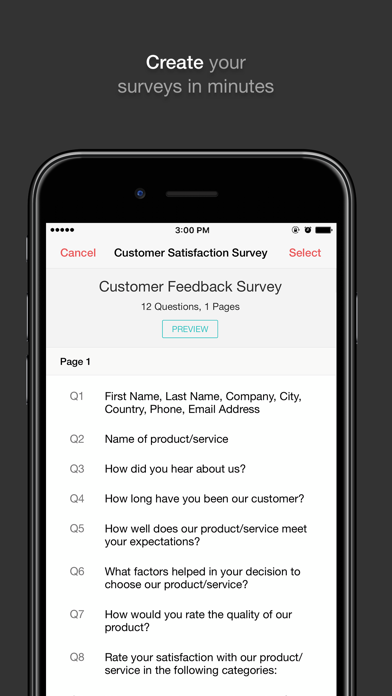
- Create and edit your surveys on the go.
- Launch surveys and share them through your favorite channels.
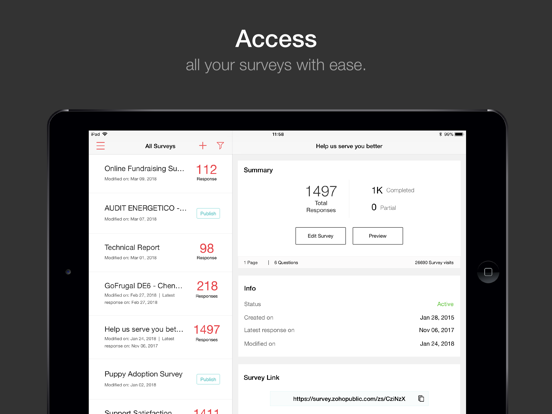
- Access surveys and view related details.
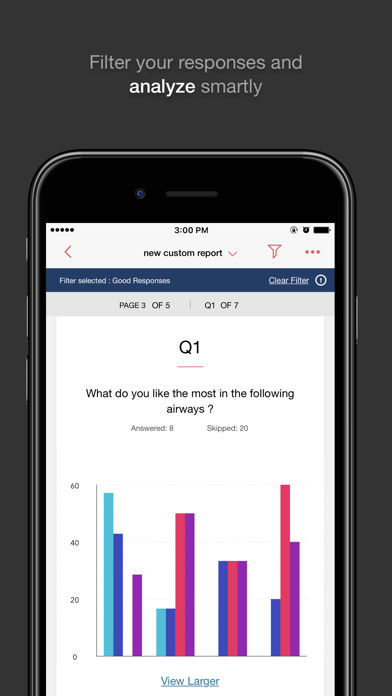
- Generate reports, and then filter and compare them in real time.
- View reports in charts to analyze them more effectively.
- Share reports with your colleagues or even survey respondents.
- Schedule reports for updates at regular intervals.
- Delete responses at any time.
Make quicker and smarter decisions with Zoho Survey.
Subscribe within the app:
We have three plans, each of which offers monthly or yearly subscription options:
1. Enterprise Plan
Monthly auto-renewing subscription: USD $108.99
Yearly auto-renewing subscription: USD $899.99
2. Pro Plan
Monthly auto-renewing subscription: USD $48.99
Yearly auto-renewing subscription: USD $399.99
3. Plus Plan
Monthly auto-renewing subscription: USD $34.99
Yearly auto-renewing subscription: USD $299.99
– Payment will be charged to your iTunes Account at confirmation of purchase.
– Subscription automatically renews unless auto-renew is turned off at least 24 hours before the end of the current period.
– The account will be charged for renewal within 24 hours prior to the end of the current period at the cost of the chosen package.
– Subscriptions may be managed by the user, and auto-renewal may be turned off by going to the user's Account Settings after purchase.
– Any unused portion of a free trial period, if offered, will be forfeited when the user purchases a subscription to that publication, where applicable.
Terms and Conditions
https://www.zoho.com/terms.html
Privacy Policy
https://www.zoho.com/privacy.html
- App ID
- 1348702782
Store details & evidence
Apple appZoho Survey - Survey Tool
Published by a third-party source
- Observed via
- https://itunes.apple.com/lookup?id=1348702782
Published by a third-party source
- Observed via
- https://itunes.apple.com/lookup?id=1348702782
Apple app ID1348702782
Published by a third-party source
- Observed via
- https://itunes.apple.com/lookup?id=1348702782
Apple app bundle IDcom.zoho.zsurveynative
Published by a third-party source
- Observed via
- https://itunes.apple.com/lookup?id=1348702782
Apple app categoryProductivity
Published by a third-party source
- Observed via
- https://itunes.apple.com/lookup?id=1348702782
Apple app version3.9.0
Published by a third-party source
- Observed via
- https://itunes.apple.com/lookup?id=1348702782
Apple app first released2018-04-11T00:27:48Z
Published by a third-party source
- Observed via
- https://itunes.apple.com/lookup?id=1348702782
Apple app last updated2026-09-03T06:14:21Z
Published by a third-party source
- Observed via
- https://itunes.apple.com/lookup?id=1348702782
Apple app rating2.64
Published by a third-party source
- Observed via
- https://itunes.apple.com/lookup?id=1348702782
Apple app ratings count14
Published by a third-party source
- Observed via
- https://itunes.apple.com/lookup?id=1348702782
Apple app minimum iOS13.0
Published by a third-party source
- Observed via
- https://itunes.apple.com/lookup?id=1348702782 → https://itunes.apple.com/lookup?id=1477507499
Apple app languagesNL, EN, FR, DE, JA, PT, RU, ZH, ES, TH
Published by a third-party source
- Observed via
- https://itunes.apple.com/lookup?id=1348702782
Apple app size (bytes)25,238,528
Published by a third-party source
- Observed via
- https://itunes.apple.com/lookup?id=1348702782
Published by a third-party source
- Observed via
- https://itunes.apple.com/lookup?id=1348702782
Published by a third-party source
- Observed via
- https://itunes.apple.com/lookup?id=1348702782
Apple app screenshotshttps://is1-ssl.mzstatic.com/image/thumb/PurpleSource114/v4/fe/49/6e/fe496ed4-9941-e735-0a8f-4f1ee162726a/4cb83e37-b323-4d6e-9dc1-961ed569df21_1.png/392x696bb.png, https://is1-ssl.mzstatic.com/image/thumb/PurpleSource124/v4/fd/69/c5/fd69c508-063c-361b-05f6-3e276be183be/4de8d2e8-649c-4d57-a8f5-c75652ec5b18_2.png/392x696bb.png, https://is1-ssl.mzstatic.com/image/thumb/PurpleSource114/v4/3b/95/39/3b9539c6-bca1-9330-777f-b04a1546ac19/7a2a7752-667f-482d-b34b-ce81b1e33769_3.png/392x696bb.png, https://is1-ssl.mzstatic.com/image/thumb/PurpleSource114/v4/9f/0e/8c/9f0e8c13-e2b6-7d5a-0177-a5eae35b13a7/aa87bae8-ab5d-46e5-9ef9-17a3b460f8c6_4.png/392x696bb.png, https://is1-ssl.mzstatic.com/image/thumb/PurpleSource114/v4/67/10/35/67103566-bcd0-bb1c-ca67-41fc4bc25eca/924ba50d-54fa-4bd9-ba84-5210e80332b9_5.png/392x696bb.png, https://is1-ssl.mzstatic.com/image/thumb/PurpleSource124/v4/f4/ce/1d/f4ce1da7-4bbd-2042-b230-8f91667e7113/297573bb-fc7f-403a-bab0-b201992af107_6.png/392x696bb.png, https://is1-ssl.mzstatic.com/image/thumb/PurpleSource124/v4/45/41/c4/4541c4fa-79c4-6cc8-43ad-68eaad11676b/dda2d599-5a40-4e41-9ef3-67f7260b0d85_7.png/392x696bb.png, https://is1-ssl.mzstatic.com/image/thumb/PurpleSource114/v4/e7/cb/b6/e7cbb67c-4750-9667-1c26-d883d9f1fe95/39470ecd-fc81-4b8c-8c1a-569d982cb441_1.png/552x414bb.png
Published by a third-party source
- Observed via
- https://itunes.apple.com/lookup?id=1348702782
Apple app descriptionForget your laptop—create and collect survey responses from your iPhone or iPad and get instant reports ON THE GO.
On a trip?
In the field?
At a conference?
Your surveys are just a fingertip away.
What will you find in the app?
- Create and edit your surveys on the go.
- Launch surveys and share them through your favorite channels.
- Access surveys and view related details.
- Generate reports, and then filter and compare them in real time.
- View reports in charts to analyze them more effectively.
- Share reports with your colleagues or even survey respondents.
- Schedule reports for updates at regular intervals.
- Delete responses at any time.
Make quicker and smarter decisions with Zoho Survey.
Subscribe within the app:
We have three plans, each of which offers monthly or yearly subscription options:
1. Enterprise Plan
Monthly auto-renewing subscription: USD $108.99
Yearly auto-renewing subscription: USD $899.99
2. Pro Plan
Monthly auto-renewing subscription: USD $48.99
Yearly auto-renewing subscription: USD $399.99
3. Plus Plan
Monthly auto-renewing subscription: USD $34.99
Yearly auto-renewing subscription: USD $299.99
– Payment will be charged to your iTunes Account at confirmation of purchase.
– Subscription automatically renews unless auto-renew is turned off at least 24 hours before the end of the current period.
– The account will be charged for renewal within 24 hours prior to the end of the current period at the cost of the chosen package.
– Subscriptions may be managed by the user, and auto-renewal may be turned off by going to the user's Account Settings after purchase.
– Any unused portion of a free trial period, if offered, will be forfeited when the user purchases a subscription to that publication, where applicable.
Terms and Conditions
https://www.zoho.com/terms.html
Privacy Policy
https://www.zoho.com/privacy.html
Published by a third-party source
- Observed via
- https://itunes.apple.com/lookup?id=1348702782
Apple app release notes (current version)Performance improvements and minor bug fixes.
Published by a third-party source
- Observed via
- https://itunes.apple.com/lookup?id=1348702782
Published by the company
- Observed via
- https://apps.apple.com/us/app/zoho-survey-survey-tool/id1348702782

Apple App Store
Version 4.14.0
Updated Sep 14, 2026
Zoho Invoice is the perfect, feature-rich invoicing solution designed to help freelancers and small business owners. It is now FOREVER FREE! But we will not compromise on privacy and security, show you advertisements, or sell your data.
Check out the powerful features of Zoho Invoice:
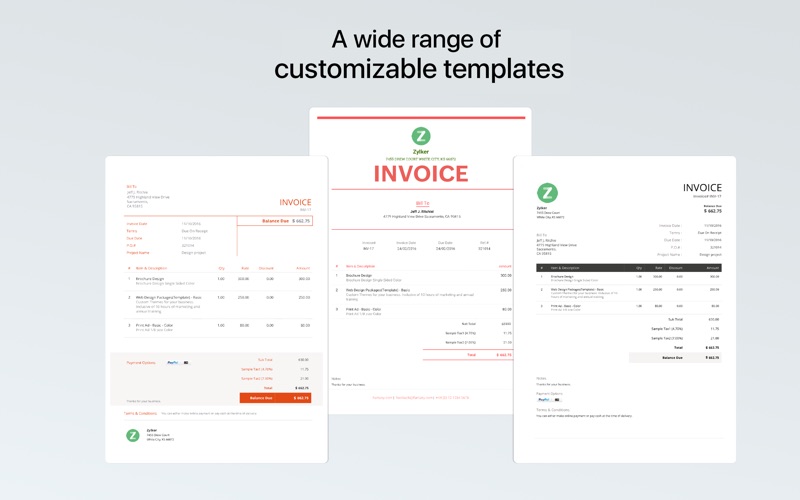
PROFESSIONAL INVOICE TEMPLATES
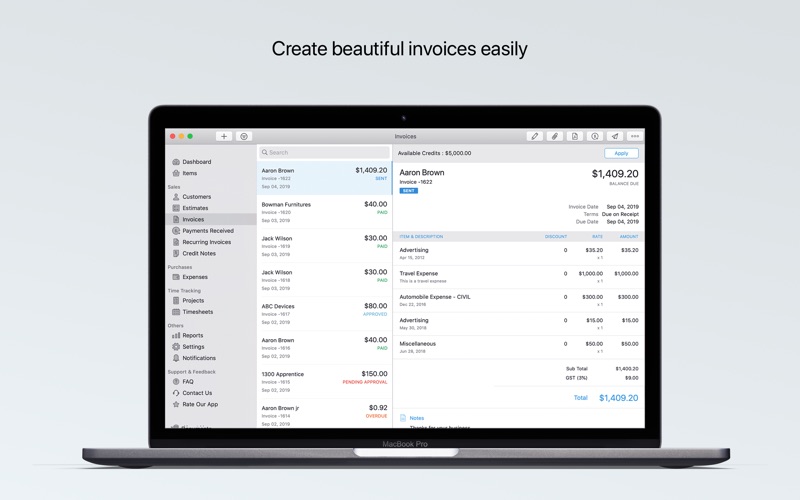
Create professional invoices in seconds with our ready-to-use templates, that reflect your brand image, builds trust with customers, and encourages payment.
PAYMENTS MADE EASY
A simplified payment process helps you get paid on time. Collect recurring payments automatically, enable multiple localized payment gateways, accept credit cards, bank transfers, cash, and checks.
ESTIMATES & QUOTES
Ensure that your customers are on board with your prices before you start billing them. Send estimates including quotes and discounts for your customers' approval, then convert them to projects or invoices.
EXPENSE TRACKING
Keep track of your unbilled expenses until they're reimbursed by your clients. Zoho Invoice can auto-scan your expense receipts and calculate your travel expenses based on GPS and mileage.
PROJECT TIME TRACKING
Effortlessly track time and bill your clients for the hours you spend on their projects.
Simply start a timer from your iPhone, Mac, or Apple Watch whenever you start work—Zoho Invoice will log every billable minute in a clear calendar format.
DETAILED REPORTS
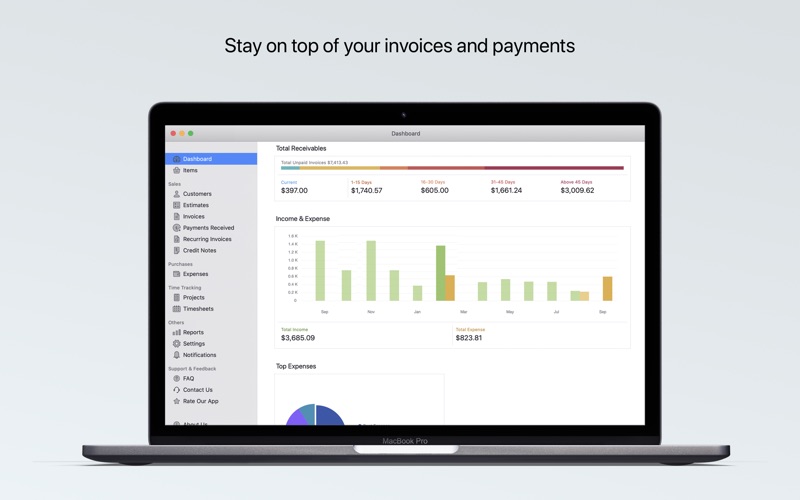
Keep track of your business' performance so you can make informed decisions. Check the dashboard to get quick insights through vibrant graphs and charts or run 30+ real-time business reports.
Special features tailored for iOS:
Based on your device settings, the app automatically switches to dark mode in low light environments to reduce strain on your eyes.
Conveniently print your invoices/estimates.
Download quickly and join thousands of freelancers and small business owners who have made their invoicing absolutely hassle-free.
Privacy Policy and Terms & Conditions:
- https://www.zoho.com/privacy.html
- https://www.zoho.com/terms.html
If you have any questions, please write to support+mobile@zohoinvoice.com
Follow us on Twitter - https://twitter.com/ZohoInvoice
- App ID
- 1477507499
Store details & evidence
Apple appZoho Invoice — Invoicing App
Published by a third-party source
- Observed via
- https://itunes.apple.com/lookup?id=1477507499
Published by a third-party source
- Observed via
- https://itunes.apple.com/lookup?id=1477507499
Apple app ID1477507499
Published by a third-party source
- Observed via
- https://itunes.apple.com/lookup?id=1477507499
Apple app bundle IDmaccatalyst.com.zoho.zinvoice
Published by a third-party source
- Observed via
- https://itunes.apple.com/lookup?id=1477507499
Published by a third-party source
- Observed via
- https://itunes.apple.com/lookup?id=1477507499
Apple app version4.14.0
Published by a third-party source
- Observed via
- https://itunes.apple.com/lookup?id=1477507499
Apple app first released2019-10-07T07:00:00Z
Published by a third-party source
- Observed via
- https://itunes.apple.com/lookup?id=1477507499
Apple app last updated2026-09-14T16:32:39Z
Published by a third-party source
- Observed via
- https://itunes.apple.com/lookup?id=1477507499
Apple app size (bytes)95,885,422
Published by a third-party source
- Observed via
- https://itunes.apple.com/lookup?id=1477507499
Published by a third-party source
- Observed via
- https://itunes.apple.com/lookup?id=1477507499 → https://itunes.apple.com/lookup?id=413017364
Published by a third-party source
- Observed via
- https://itunes.apple.com/lookup?id=1477507499
Apple app screenshotshttps://is1-ssl.mzstatic.com/image/thumb/Purple122/v4/4a/18/2e/4a182e05-4ada-b76c-6bea-91be1d7ce659/pr_source.png/800x500bb.jpg, https://is1-ssl.mzstatic.com/image/thumb/Purple122/v4/b4/99/65/b4996507-5286-94b9-ab86-ab5942fdef90/pr_source.png/800x500bb.jpg, https://is1-ssl.mzstatic.com/image/thumb/PurpleSource122/v4/c2/cd/ee/c2cdeee8-f589-10f1-7d28-bb89f60b4188/f69e1856-e086-4c0b-b0e9-ff28372180d7_Appstore-template-mac.png/800x500bb.jpg, https://is1-ssl.mzstatic.com/image/thumb/Purple122/v4/6c/45/0f/6c450f16-140c-33fd-99f1-233b0f40620c/pr_source.png/800x500bb.jpg, https://is1-ssl.mzstatic.com/image/thumb/Purple122/v4/5e/b8/68/5eb8686c-d4a2-afb0-6db9-08617df45ca7/pr_source.png/800x500bb.jpg
Published by a third-party source
- Observed via
- https://itunes.apple.com/lookup?id=1477507499
Apple app descriptionZoho Invoice is the perfect, feature-rich invoicing solution designed to help freelancers and small business owners. It is now FOREVER FREE! But we will not compromise on privacy and security, show you advertisements, or sell your data.
Check out the powerful features of Zoho Invoice:
PROFESSIONAL INVOICE TEMPLATES
Create professional invoices in seconds with our ready-to-use templates, that reflect your brand image, builds trust with customers, and encourages payment.
PAYMENTS MADE EASY
A simplified payment process helps you get paid on time. Collect recurring payments automatically, enable multiple localized payment gateways, accept credit cards, bank transfers, cash, and checks.
ESTIMATES & QUOTES
Ensure that your customers are on board with your prices before you start billing them. Send estimates including quotes and discounts for your customers' approval, then convert them to projects or invoices.
EXPENSE TRACKING
Keep track of your unbilled expenses until they're reimbursed by your clients. Zoho Invoice can auto-scan your expense receipts and calculate your travel expenses based on GPS and mileage.
PROJECT TIME TRACKING
Effortlessly track time and bill your clients for the hours you spend on their projects.
Simply start a timer from your iPhone, Mac, or Apple Watch whenever you start work—Zoho Invoice will log every billable minute in a clear calendar format.
DETAILED REPORTS
Keep track of your business' performance so you can make informed decisions. Check the dashboard to get quick insights through vibrant graphs and charts or run 30+ real-time business reports.
Special features tailored for iOS:
Based on your device settings, the app automatically switches to dark mode in low light environments to reduce strain on your eyes.
Conveniently print your invoices/estimates.
Download quickly and join thousands of freelancers and small business owners who have made their invoicing absolutely hassle-free.
Privacy Policy and Terms & Conditions:
- https://www.zoho.com/privacy.html
- https://www.zoho.com/terms.html
If you have any questions, please write to support+mobile@zohoinvoice.com
Follow us on Twitter - https://twitter.com/ZohoInvoice
Published by a third-party source
- Observed via
- https://itunes.apple.com/lookup?id=1477507499
Apple app release notes (current version)Zoho Invoice is designed to work seamlessly with the latest Apple OS 27 features. Ask Siri to complete tasks, use on-device intelligence to interact with your data, and keep your financial information always within reach.
AI-Powered Reports:
Describe the report you need in natural language, and Zoho Invoice creates the relevant report along with a summary of key insights, directly within the Reports module.
Voice-Powered Transactions:
Use Siri to create invoices, expenses, and payments simply by providing the required details through voice.
Invoice Approvals with Siri:
Ask Siri to find pending invoices and approve them individually, or review and approve multiple pending transactions for a customer.
Siri Customer Search:
Ask Siri to find a customer and quickly access their information.
Extra-Large Portrait Widget:
View invoice transactions directly from your Home Screen and apply filters to quickly find the invoices you need.
Published by a third-party source
- Observed via
- https://itunes.apple.com/lookup?id=1477507499
Published by the company
- Observed via
- https://apps.apple.com/app/apple-store/id1477507499?pt=423641&ct=website_top_bar_downloads&mt=8

Apple App Store
Rating 4.86 (14536 ratings) · Version 5.2.25
Updated Sep 15, 2026
Zoho Invoice is a completely FREE invoicing application that ensures you get paid for your hard work. Zoho Invoice is the perfect invoicing app for your small business, allowing you to create estimates, convert them into professional invoices, send the invoices, and receive payments from customers.
Here's everything you need to know about the ultimate invoice creator app, Zoho Invoice.
The best invoicing app is on the house
Zoho Invoice was a paid app until 2021, when we decided to level the playing field for small businesses and made it completely free. Zoho Invoice does not have hidden paid plans; it is free forever.
Create and send invoices however you'd like
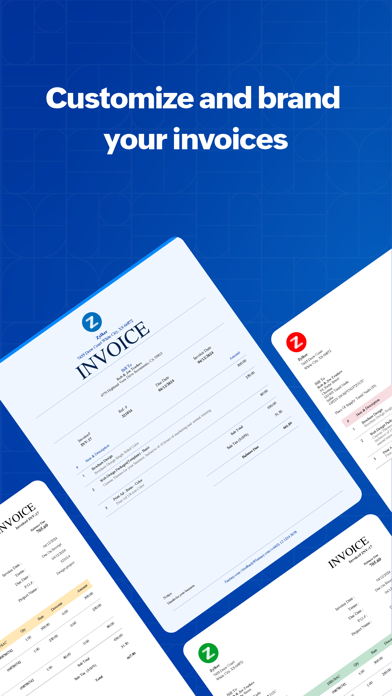
You get to choose from over 18 professional invoice templates and customize the tables, fonts, colors, fields, and more. The invoices can be sent directly to the customer's email inbox or downloaded as a PDF invoice, which can be shared via iMessage or WhatsApp.
Easily collect and track online payments
Connect your Zoho Invoice account to a payment gateway and give your customers the flexibility to pay with their preferred payment modes. Upon payment, invoices are automatically marked as "paid" in Zoho Invoice.
Your payment follow-ups are on autopilot
Configure automated payment reminders to follow up with customers for overdue invoices. You have full control over when the payment reminders are sent and can customize the emails as you'd like.
Get better deals with estimates
Use Zoho Invoice's estimates to negotiate with customers and close deals. Customers can view, discuss, reject, and approve estimates. Approved estimates are automatically converted into invoices.
Work on hour-based projects with time tracking
If you're a freelancer or small business where you charge customers based on total hours spent on the project, you can use Zoho Invoice to track time and convert timesheets into invoices.
A simplified and elevated customer experience
Your customers are empowered with a portal where they can log in with a user ID and password. Here, they can view credits, approve and reject estimates, pay invoices, download customer statements, and drop feedback.
Track every penny that leaves your business's pockets
All these capabilities aside, Zoho Invoice is also your friendly business expense tracking app. Record unbillable expenses like rent and maintenance. Also, record billable expenses like raw material costs and get reimbursed by customers.
Your business's numbers at your fingertips
The moment you log into Zoho Invoice, the dashboard gives you a visual glimpse of your business's health. Dive into deeper metrics with in-depth reports on best-selling products and services, AR aging, top customers, expenses, and projects.
We're constantly tweaking your favorite invoice maker app to work better with your Apple device. We also focus our efforts towards introducing features exclusive to iOS.
Here are some of Zoho Invoice's special features tailored for iOS:
• Place a handy widget on your iPhone's home screen that shows crucial business numbers and also allows you to perform quick actions.
• Secure your financial information with the Touch/Face/Apple ID passcode verification.
• Print your invoices and estimates using Air Print.
• Upload and store your customer files securely on iCloud.
• Use Zoho Invoice's built-in document scanner to save clear copies of paper documents.
• Add new contacts using the OCR-powered scan feature by simply snapping a picture of the customer's business card.
• Locate your customers' addresses on the map so your field staff can navigate to the locations effortlessly.
Zoho Invoice is trusted by thousands of businesses around the world. Download the Zoho Invoice app today to simplify your invoicing and payment tracking.
Privacy Policy and Terms & Conditions:
- https://www.zoho.com/privacy.html
- https://www.zoho.com/terms.html
Have questions? Write to us at support+mobile@zohoinvoice.com
- App ID
- 413017364
Store details & evidence
Apple appZoho Invoice Maker App
Published by a third-party source
- Observed via
- https://itunes.apple.com/lookup?id=413017364
Published by a third-party source
- Observed via
- https://itunes.apple.com/lookup?id=413017364
Apple app ID413017364
Published by a third-party source
- Observed via
- https://itunes.apple.com/lookup?id=413017364
Apple app bundle IDcom.zoho.zinvoice
Published by a third-party source
- Observed via
- https://itunes.apple.com/lookup?id=413017364
Apple app version5.2.25
Published by a third-party source
- Observed via
- https://itunes.apple.com/lookup?id=413017364
Apple app first released2011-01-08T03:19:33Z
Published by a third-party source
- Observed via
- https://itunes.apple.com/lookup?id=413017364
Apple app last updated2026-09-15T04:03:24Z
Published by a third-party source
- Observed via
- https://itunes.apple.com/lookup?id=413017364
Apple app rating4.86
Published by a third-party source
- Observed via
- https://itunes.apple.com/lookup?id=413017364
Apple app ratings count14536
Published by a third-party source
- Observed via
- https://itunes.apple.com/lookup?id=413017364
Apple app size (bytes)410,963,968
Published by a third-party source
- Observed via
- https://itunes.apple.com/lookup?id=413017364
Published by a third-party source
- Observed via
- https://itunes.apple.com/lookup?id=413017364
Apple app screenshotshttps://is1-ssl.mzstatic.com/image/thumb/PurpleSource211/v4/c7/8c/d3/c78cd3f9-a624-6d79-9fe5-7d0af248a875/384c9643-e13a-47e4-a723-3038d1c8f534_2.png/392x696bb.png, https://is1-ssl.mzstatic.com/image/thumb/PurpleSource221/v4/98/d5/0c/98d50c58-45e2-c3b7-2a34-9b6c1773f473/d584e976-ae13-4c1b-adcc-763f850c4c1e_Artboard_20.png/392x696bb.png, https://is1-ssl.mzstatic.com/image/thumb/PurpleSource211/v4/8c/62/93/8c629334-e439-5f3d-dc00-59a893d4f9c7/f1504cdc-edff-4e2b-8644-c42c783488d2_5.png/392x696bb.png, https://is1-ssl.mzstatic.com/image/thumb/PurpleSource211/v4/a8/11/d7/a811d73b-9f9e-ac7c-ff8d-2b45ba2fa13f/6bdd80d0-6e30-4f26-b7bf-9bd0da509fbc_3.png/392x696bb.png, https://is1-ssl.mzstatic.com/image/thumb/PurpleSource221/v4/d1/1c/d6/d11cd6c8-362c-41b7-7a26-58aaeffdcacf/f3872a43-915d-476f-9cf6-a2665d56a1ad_1.png/392x696bb.png, https://is1-ssl.mzstatic.com/image/thumb/PurpleSource221/v4/33/c6/1d/33c61d45-9965-6164-a0c6-c640a1564802/e58c3004-a69d-4157-8583-dd163ac6cff0_7.png/392x696bb.png, https://is1-ssl.mzstatic.com/image/thumb/PurpleSource221/v4/0c/25/72/0c25724c-b46f-1663-62ee-b2c51ed3d78e/06afcae7-b929-4e46-9536-e3df8edec444_6.png/392x696bb.png, https://is1-ssl.mzstatic.com/image/thumb/PurpleSource211/v4/e4/5a/a7/e45aa77d-9c24-a29a-39e8-bce71ccc4fa1/0d2057b1-a192-416e-83b5-18b098f29376_8.png/392x696bb.png
Published by a third-party source
- Observed via
- https://itunes.apple.com/lookup?id=413017364
Apple app descriptionZoho Invoice is a completely FREE invoicing application that ensures you get paid for your hard work. Zoho Invoice is the perfect invoicing app for your small business, allowing you to create estimates, convert them into professional invoices, send the invoices, and receive payments from customers.
Here's everything you need to know about the ultimate invoice creator app, Zoho Invoice.
The best invoicing app is on the house
Zoho Invoice was a paid app until 2021, when we decided to level the playing field for small businesses and made it completely free. Zoho Invoice does not have hidden paid plans; it is free forever.
Create and send invoices however you'd like
You get to choose from over 18 professional invoice templates and customize the tables, fonts, colors, fields, and more. The invoices can be sent directly to the customer's email inbox or downloaded as a PDF invoice, which can be shared via iMessage or WhatsApp.
Easily collect and track online payments
Connect your Zoho Invoice account to a payment gateway and give your customers the flexibility to pay with their preferred payment modes. Upon payment, invoices are automatically marked as "paid" in Zoho Invoice.
Your payment follow-ups are on autopilot
Configure automated payment reminders to follow up with customers for overdue invoices. You have full control over when the payment reminders are sent and can customize the emails as you'd like.
Get better deals with estimates
Use Zoho Invoice's estimates to negotiate with customers and close deals. Customers can view, discuss, reject, and approve estimates. Approved estimates are automatically converted into invoices.
Work on hour-based projects with time tracking
If you're a freelancer or small business where you charge customers based on total hours spent on the project, you can use Zoho Invoice to track time and convert timesheets into invoices.
A simplified and elevated customer experience
Your customers are empowered with a portal where they can log in with a user ID and password. Here, they can view credits, approve and reject estimates, pay invoices, download customer statements, and drop feedback.
Track every penny that leaves your business's pockets
All these capabilities aside, Zoho Invoice is also your friendly business expense tracking app. Record unbillable expenses like rent and maintenance. Also, record billable expenses like raw material costs and get reimbursed by customers.
Your business's numbers at your fingertips
The moment you log into Zoho Invoice, the dashboard gives you a visual glimpse of your business's health. Dive into deeper metrics with in-depth reports on best-selling products and services, AR aging, top customers, expenses, and projects.
We're constantly tweaking your favorite invoice maker app to work better with your Apple device. We also focus our efforts towards introducing features exclusive to iOS.
Here are some of Zoho Invoice's special features tailored for iOS:
• Place a handy widget on your iPhone's home screen that shows crucial business numbers and also allows you to perform quick actions.
• Secure your financial information with the Touch/Face/Apple ID passcode verification.
• Print your invoices and estimates using Air Print.
• Upload and store your customer files securely on iCloud.
• Use Zoho Invoice's built-in document scanner to save clear copies of paper documents.
• Add new contacts using the OCR-powered scan feature by simply snapping a picture of the customer's business card.
• Locate your customers' addresses on the map so your field staff can navigate to the locations effortlessly.
Zoho Invoice is trusted by thousands of businesses around the world. Download the Zoho Invoice app today to simplify your invoicing and payment tracking.
Privacy Policy and Terms & Conditions:
- https://www.zoho.com/privacy.html
- https://www.zoho.com/terms.html
Have questions? Write to us at support+mobile@zohoinvoice.com
Published by a third-party source
- Observed via
- https://itunes.apple.com/lookup?id=413017364
Apple app release notes (current version)Zoho Invoice is designed to work seamlessly with the latest Apple OS 27 features. Ask Siri to complete tasks, use on-device intelligence to interact with your data, and keep your financial information always within reach.
AI-Powered Reports:
Describe the report you need in natural language, and Zoho Invoice creates the relevant report along with a summary of key insights, directly within the Reports module.
Business Card Scanning:
Scan a business card to instantly capture contact details and create a customer record in Zoho Invoice.
Voice-Powered Transactions:
Use Siri to create invoices, expenses, and payments simply by providing the required details through voice.
Invoice Approvals with Siri:
Ask Siri to find pending invoices and approve them individually, or review and approve multiple pending transactions for a customer.
Siri Customer Search:
Ask Siri to find a customer and quickly access their information.
Extra-Large Portrait Widget:
View invoice transactions directly from your Home Screen and apply filters to quickly find the invoices you need.
Published by a third-party source
- Observed via
- https://itunes.apple.com/lookup?id=413017364
Published by the company
- Observed via
- https://apps.apple.com/app/apple-store/id413017364?pt=423641&ct=help_support_footer&mt=8

Apple App Store
Rating 4.81 (5177 ratings) · Version 5.2.6
Updated Sep 21, 2026
Zoho Books is ready for GST in India, Australia and Canada.
Today no business goes to sleep. Being able to manage transactions and access your financial information anytime is vital for any business. Zoho Books is available on iPhone, iPad, Mac and Apple Watch.
Here's what some of users have said about our mobile app
"I have been using ZOHO for my business for a year now & it has saved me so much time. I would highly recommend it for any business or even general home use for end of year TAX. Great work ZOHO."
"So user-friendly, this app has turned a beginner accountant into an auditor! Must-try instead of paying a lot of money for other applications in the market. Really good customer service and reliable in numbers! If you want your business figures to be on your watch anytime, this is the app to choose!"
"This is very handy. I don’t need a laptop or computer when I need to send an invoice to a client while I am on the move and don’t have my laptop with me."
With the Zoho Books iOS App you can
1. Manage Money Coming In
You can create and send estimates and invoices on the move. You can choose invoices that match your business identity and accept payments from your customers online!
2. Manage Money Going Out
Record expenses and bills and categorize them right from your iPhone. Get to know how much you owe and always pay your bills on time.
3. Your Accountant is never far away
With the Zoho Books iPhone app your accountant is never far away to advise you. Invite your trusted advisor to review your numbers right from the comfort of his home or office.
4. Business Insights In Your Pocket
Do you have enough cash for payroll and paying supplier bills? How much do your customers owe? What are your top expenses? Answers to these are just a tap away.
5. Track time accurately
Get to track time you spend on your projects and bill them right from the app.
6. Going Global. No worries!
Zoho Books supports transactions in multiple currencies and is precision personified.
7. No limitations!
There is absolutely no limitations on the number of transactions or users who can access Zoho Books. Truly unlimited!
8. Get Paid Instantly, Anywhere
Turn your phone into a POS with the all new Tap to Pay feature for Stripe users using Zoho Books. Collect payments on the spot and have them seamlessly synced with your books without the need for any manual entry.
Privacy Policy and Terms & Conditions:
- https://www.zoho.com/privacy.html
- https://www.zoho.com/terms.html
Disclaimer: Continued use of GPS running in the background can dramatically decrease battery life.
- App ID
- 710446064
Store details & evidence
Apple appAccounting App - Zoho Books
Published by a third-party source
- Observed via
- https://itunes.apple.com/lookup?id=710446064
Published by a third-party source
- Observed via
- https://itunes.apple.com/lookup?id=710446064
Apple app ID710446064
Published by a third-party source
- Observed via
- https://itunes.apple.com/lookup?id=710446064
Apple app bundle IDcom.zoho.zbooks
Published by a third-party source
- Observed via
- https://itunes.apple.com/lookup?id=710446064
Apple app version5.2.6
Published by a third-party source
- Observed via
- https://itunes.apple.com/lookup?id=710446064
Apple app first released2014-01-02T11:30:37Z
Published by a third-party source
- Observed via
- https://itunes.apple.com/lookup?id=710446064
Apple app last updated2026-09-21T07:10:12Z
Published by a third-party source
- Observed via
- https://itunes.apple.com/lookup?id=710446064
Apple app rating4.81
Published by a third-party source
- Observed via
- https://itunes.apple.com/lookup?id=710446064
Apple app ratings count5177
Published by a third-party source
- Observed via
- https://itunes.apple.com/lookup?id=710446064
Apple app size (bytes)474,510,336
Published by a third-party source
- Observed via
- https://itunes.apple.com/lookup?id=710446064
Published by a third-party source
- Observed via
- https://itunes.apple.com/lookup?id=710446064
Published by a third-party source
- Observed via
- https://itunes.apple.com/lookup?id=710446064
Apple app screenshotshttps://is1-ssl.mzstatic.com/image/thumb/PurpleSource211/v4/25/7a/07/257a07fa-31b2-765b-38c4-15d43d6fa70f/5503ca11-998b-40e7-8f2f-b55be282f402_dashboard.png/392x696bb.png, https://is1-ssl.mzstatic.com/image/thumb/PurpleSource211/v4/0b/1c/bf/0b1cbf86-dd6d-5311-df47-5168d95f6f63/InvoiceDetail.png/392x696bb.png, https://is1-ssl.mzstatic.com/image/thumb/PurpleSource211/v4/ef/02/42/ef02427b-6383-7934-2705-81cb36c650d1/89aa642a-588f-47e5-865c-3f557ea94cd5_expense.png/392x696bb.png, https://is1-ssl.mzstatic.com/image/thumb/PurpleSource221/v4/65/ef/39/65ef396c-ee8e-ea94-d93a-86b9ac48b8d6/34bfd4b1-6a76-4320-9a84-75e61a71db25_banking.png/392x696bb.png, https://is1-ssl.mzstatic.com/image/thumb/PurpleSource221/v4/d0/78/89/d0788944-18f3-ffe1-b5b9-e8fc953f68c0/34676887-2d0b-45c3-8818-177752468c07_reports.png/392x696bb.png, https://is1-ssl.mzstatic.com/image/thumb/PurpleSource211/v4/93/a8/9e/93a89e4e-b83b-711b-57d4-aa052593a06e/a12189c6-14c0-44d8-85e2-504034980c46_timesheet.png/392x696bb.png, https://is1-ssl.mzstatic.com/image/thumb/PurpleSource221/v4/e9/a6/cd/e9a6cd7b-9982-7d9a-8e27-cb5c11e8fbab/4988f4ea-68a2-4faf-87b4-408dd68c59f8_template.png/392x696bb.png, https://is1-ssl.mzstatic.com/image/thumb/PurpleSource211/v4/3d/e6/f5/3de6f56d-027e-58e1-3fbd-b1c0c0fc73ed/cf40b904-e77e-4994-a1a1-6cd0a3a0bd22_payments.png/392x696bb.png
Published by a third-party source
- Observed via
- https://itunes.apple.com/lookup?id=710446064
Apple app descriptionZoho Books is ready for GST in India, Australia and Canada.
Today no business goes to sleep. Being able to manage transactions and access your financial information anytime is vital for any business. Zoho Books is available on iPhone, iPad, Mac and Apple Watch.
Here's what some of users have said about our mobile app
"I have been using ZOHO for my business for a year now & it has saved me so much time. I would highly recommend it for any business or even general home use for end of year TAX. Great work ZOHO."
"So user-friendly, this app has turned a beginner accountant into an auditor! Must-try instead of paying a lot of money for other applications in the market. Really good customer service and reliable in numbers! If you want your business figures to be on your watch anytime, this is the app to choose!"
"This is very handy. I don’t need a laptop or computer when I need to send an invoice to a client while I am on the move and don’t have my laptop with me."
With the Zoho Books iOS App you can
1. Manage Money Coming In
You can create and send estimates and invoices on the move. You can choose invoices that match your business identity and accept payments from your customers online!
2. Manage Money Going Out
Record expenses and bills and categorize them right from your iPhone. Get to know how much you owe and always pay your bills on time.
3. Your Accountant is never far away
With the Zoho Books iPhone app your accountant is never far away to advise you. Invite your trusted advisor to review your numbers right from the comfort of his home or office.
4. Business Insights In Your Pocket
Do you have enough cash for payroll and paying supplier bills? How much do your customers owe? What are your top expenses? Answers to these are just a tap away.
5. Track time accurately
Get to track time you spend on your projects and bill them right from the app.
6. Going Global. No worries!
Zoho Books supports transactions in multiple currencies and is precision personified.
7. No limitations!
There is absolutely no limitations on the number of transactions or users who can access Zoho Books. Truly unlimited!
8. Get Paid Instantly, Anywhere
Turn your phone into a POS with the all new Tap to Pay feature for Stripe users using Zoho Books. Collect payments on the spot and have them seamlessly synced with your books without the need for any manual entry.
Privacy Policy and Terms & Conditions:
- https://www.zoho.com/privacy.html
- https://www.zoho.com/terms.html
Disclaimer: Continued use of GPS running in the background can dramatically decrease battery life.
Published by a third-party source
- Observed via
- https://itunes.apple.com/lookup?id=710446064
Apple app release notes (current version)We've fixed bugs and improved performance for a smoother experience.
Published by a third-party source
- Observed via
- https://itunes.apple.com/lookup?id=710446064
Published by the company
- Observed via
- https://apps.apple.com/app/apple-store/id710446064?pt=423641&ct=website_footerPage&mt=8

Google Play · Tools · Free
Rating 4.8 (9.92K ratings)
Updated Sep 15, 2026
OneAuth is an industry standard authenticator app developed by Zoho. You can now enable TFA and secure all your online accounts like Twitter, Facebook, LinkedIn, and more.
Over 1 million users trust OneAuth to enable 2FA and secure their online accounts.
Take charge of your online security with two factor authentication
- Add online accounts to OneAuth easily by either scanning a QR code or manually entering the details.
- Authenticate your online accounts using time-based OTPs. These OTPs can be accessed offline too.
- Backing up your online accounts in OneAuth is easy. We offer encrypted backup for all your online accounts and they can be recovered securely with passphrase. The passphrase is unique and known only to you and aids in recovery in case of lost or broken devices.
- OneAuth syncs your OTP secrets across all your devices, making it easy for you to access OTPs from anywhere.
- Experience OneAuth's secure authentication on Android and Wear OS devices.
- See your 2FA OTPs on the Wear OS app, and approve sign-in push notification on the go.
App shortcuts: Quickly reach and perform key actions on OneAuth directly from the home screen.
Dark theme: Reduce strain and improve your user experience by turning on dark mode.
An authenticator app that provides enhanced user experience
- Create folders to organize your TFA accounts to your convenience. You can create and reorder personal and work folders separately for easy access. You can also move accounts within and in between folders.
- Identify your 2FA accounts easily by associating them with their brand logos.
- Search and find your accounts quicker with OneAuth's inbuilt search.
- Explore OneAuth to its fullest potential without creating an account. Guest users can use the export and import option while switching to a new device.
- Users can also migrate their existing online accounts to OneAuth easily from Google Authenticator.
Greater security for your Zoho accounts with multi-factor authentication
Passwords are just not enough. You need additional layers to ensure your account is properly safeguarded. OneAuth does that for you!
- With OneAuth, you can enable MFA for all your Zoho accounts.
- Set up passwordless sign-in. Avoid the everyday hassle of typing out your passwords.
- Choose from multiple sign-in modes. You can select from sign-in options like push notification (to your phone or Wear OS device), QR code, and time-based OTP. In case you're offline, you can access your account with time-based OTPs.
- Toughen up your account security. Ensure only you can access your account by enabling biometric authentication (fingerprint recognition).
- Monitor devices and sessions in OneAuth, track login locations and designate devices into primary and secondary.
Think Privacy. Think Zoho.
At Zoho, data privacy and security is core to our business.
We believe that every individual has a right to access the internet securely and thus our authenticator app OneAuth will be free forever.
SUPPORT
Our help channels are available 24*7 for customers. Email us at support@zohoaccounts.com
Download today!
- Developer
- Zoho Corporation
- Package
- com.zoho.accounts.oneauth
Store details & evidence
Google Play appAuthenticator App - OneAuth
Published by a third-party source
- Observed via
- https://play.google.com/store/apps/details?id=com.zoho.accounts.oneauth&hl=en&gl=US
Published by a third-party source
- Observed via
- https://play.google.com/store/apps/details?id=com.zoho.accounts.oneauth&hl=en&gl=US
Google Play packagecom.zoho.accounts.oneauth
Published by a third-party source
- Observed via
- https://play.google.com/store/apps/details?id=com.zoho.accounts.oneauth&hl=en&gl=US
Google Play developerZoho Corporation
Published by a third-party source
- Observed via
- https://play.google.com/store/apps/details?id=com.zoho.accounts.oneauth&hl=en&gl=US → https://play.google.com/store/apps/details?id=com.zoho.books&hl=en&gl=US → https://play.google.com/store/apps/details?id=com.zoho.inventory&hl=en&gl=US → https://play.google.com/store/apps/details?id=com.zoho.invoice&hl=en&gl=US → https://play.google.com/store/apps/details?id=com.zoho.zsm&hl=en&gl=US
Published by a third-party source
- Observed via
- https://play.google.com/store/apps/details?id=com.zoho.accounts.oneauth&hl=en&gl=US → https://play.google.com/store/apps/details?id=com.zoho.books&hl=en&gl=US → https://play.google.com/store/apps/details?id=com.zoho.inventory&hl=en&gl=US → https://play.google.com/store/apps/details?id=com.zoho.invoice&hl=en&gl=US → https://play.google.com/store/apps/details?id=com.zoho.zsm&hl=en&gl=US
Google Play app categoryTools
Published by a third-party source
- Observed via
- https://play.google.com/store/apps/details?id=com.zoho.accounts.oneauth&hl=en&gl=US
Google Play app last updatedSep 15, 2026
Published by a third-party source
- Observed via
- https://play.google.com/store/apps/details?id=com.zoho.accounts.oneauth&hl=en&gl=US
Google Play app rating4.8
Published by a third-party source
- Observed via
- https://play.google.com/store/apps/details?id=com.zoho.accounts.oneauth&hl=en&gl=US → https://play.google.com/store/apps/details?id=com.zoho.invoice&hl=en&gl=US
Google Play app ratings count9.92K
Published by a third-party source
- Observed via
- https://play.google.com/store/apps/details?id=com.zoho.accounts.oneauth&hl=en&gl=US
Google Play downloads1M+
Published by a third-party source
- Observed via
- https://play.google.com/store/apps/details?id=com.zoho.accounts.oneauth&hl=en&gl=US → https://play.google.com/store/apps/details?id=com.zoho.inventory&hl=en&gl=US → https://play.google.com/store/apps/details?id=com.zoho.invoice&hl=en&gl=US
Google Play app price0
Published by a third-party source
- Observed via
- https://play.google.com/store/apps/details?id=com.zoho.accounts.oneauth&hl=en&gl=US → https://play.google.com/store/apps/details?id=com.zoho.books&hl=en&gl=US → https://play.google.com/store/apps/details?id=com.zoho.inventory&hl=en&gl=US → https://play.google.com/store/apps/details?id=com.zoho.invoice&hl=en&gl=US → https://play.google.com/store/apps/details?id=com.zoho.zsm&hl=en&gl=US
Google Play app content ratingEveryone
Published by a third-party source
- Observed via
- https://play.google.com/store/apps/details?id=com.zoho.accounts.oneauth&hl=en&gl=US → https://play.google.com/store/apps/details?id=com.zoho.books&hl=en&gl=US → https://play.google.com/store/apps/details?id=com.zoho.inventory&hl=en&gl=US → https://play.google.com/store/apps/details?id=com.zoho.invoice&hl=en&gl=US → https://play.google.com/store/apps/details?id=com.zoho.zsm&hl=en&gl=US
Google Play support emailsupport@zohoaccounts.com
Published by a third-party source
- Observed via
- https://play.google.com/store/apps/details?id=com.zoho.accounts.oneauth&hl=en&gl=US
Published by a third-party source
- Observed via
- https://play.google.com/store/apps/details?id=com.zoho.accounts.oneauth&hl=en&gl=US
Published by a third-party source
- Observed via
- https://play.google.com/store/apps/details?id=com.zoho.accounts.oneauth&hl=en&gl=US → https://play.google.com/store/apps/details?id=com.zoho.books&hl=en&gl=US → https://play.google.com/store/apps/details?id=com.zoho.inventory&hl=en&gl=US → https://play.google.com/store/apps/details?id=com.zoho.invoice&hl=en&gl=US → https://play.google.com/store/apps/details?id=com.zoho.zsm&hl=en&gl=US
Published by a third-party source
- Observed via
- https://play.google.com/store/apps/details?id=com.zoho.accounts.oneauth&hl=en&gl=US
Google Play app screenshotshttps://play-lh.googleusercontent.com/jcYD6ncfuFeLogGJxQzpzkxs8VauxhAnFCmYzuEtnFVrFaouR88p88tSImdexBG6LoHhfZOpEXj0MBHldWDKtA=w526-h296-rw, https://play-lh.googleusercontent.com/PvEJ7IvXlRa5sEX4iy8iqZ3XIJn5ZVIxFZnVk5aYmu6i8mbscMp7gm5XeLPhbDsmBmjtNlLdGKjsi8AKaaiQ=w526-h296-rw, https://play-lh.googleusercontent.com/-xytZog9YAYCZMOQ4m-QcSmgrVRyJXVofwk8LGqwM_racYEuZ21xNPa7nPQ6cbbfEjo4rcMsJRyo-vnXhjv0Ug=w526-h296-rw, https://play-lh.googleusercontent.com/JrmgjidqSGmhMzCcFl4tGk0RkUWVysHZvjtaIIj2QS-UVxttYOAJmQQrqxE0T25Yz1ktZO9TWA2WYbpbqoRN=w526-h296-rw, https://play-lh.googleusercontent.com/ob0qqbv3H4-cunaXrlHVrsRv-BnQ39SX5y8nmFzQooWnUKCD537FboKAm_zqG5Pytc1Wh6IjbVFE29JV3v0dTA=w526-h296-rw, https://play-lh.googleusercontent.com/TCHcqjCW7ORO5MDJ4wdR_j3oIaoBw9-YbG77uDogG3WjYK9tGl12xibx7qDjrFk_FIrQYI_7gY4Aq_v0AalU5Ms=w526-h296-rw, https://play-lh.googleusercontent.com/dqTpvdGu9KRsCMSUv7Plm4M7rmxDp3WUjdn46YxhBxKe_eYmfRjo3t43P5xc4qMkWd28ZGde1y2PGYQl6q1mYw=w526-h296-rw, https://play-lh.googleusercontent.com/uaf72w4iq3nazJbhy0RB9wETrmlaGpUBOVpZVbWooOWTqVM2v08kFgh7Edaibvp6Us7iSEZsyz4BQ3SFBthGjA=w526-h296-rw
Published by a third-party source
- Observed via
- https://play.google.com/store/apps/details?id=com.zoho.accounts.oneauth&hl=en&gl=US
Google Play app descriptionOneAuth is an industry standard authenticator app developed by Zoho. You can now enable TFA and secure all your online accounts like Twitter, Facebook, LinkedIn, and more.
Over 1 million users trust OneAuth to enable 2FA and secure their online accounts.
Take charge of your online security with two factor authentication
- Add online accounts to OneAuth easily by either scanning a QR code or manually entering the details.
- Authenticate your online accounts using time-based OTPs. These OTPs can be accessed offline too.
- Backing up your online accounts in OneAuth is easy. We offer encrypted backup for all your online accounts and they can be recovered securely with passphrase. The passphrase is unique and known only to you and aids in recovery in case of lost or broken devices.
- OneAuth syncs your OTP secrets across all your devices, making it easy for you to access OTPs from anywhere.
- Experience OneAuth's secure authentication on Android and Wear OS devices.
- See your 2FA OTPs on the Wear OS app, and approve sign-in push notification on the go.
App shortcuts: Quickly reach and perform key actions on OneAuth directly from the home screen.
Dark theme: Reduce strain and improve your user experience by turning on dark mode.
An authenticator app that provides enhanced user experience
- Create folders to organize your TFA accounts to your convenience. You can create and reorder personal and work folders separately for easy access. You can also move accounts within and in between folders.
- Identify your 2FA accounts easily by associating them with their brand logos.
- Search and find your accounts quicker with OneAuth's inbuilt search.
- Explore OneAuth to its fullest potential without creating an account. Guest users can use the export and import option while switching to a new device.
- Users can also migrate their existing online accounts to OneAuth easily from Google Authenticator.
Greater security for your Zoho accounts with multi-factor authentication
Passwords are just not enough. You need additional layers to ensure your account is properly safeguarded. OneAuth does that for you!
- With OneAuth, you can enable MFA for all your Zoho accounts.
- Set up passwordless sign-in. Avoid the everyday hassle of typing out your passwords.
- Choose from multiple sign-in modes. You can select from sign-in options like push notification (to your phone or Wear OS device), QR code, and time-based OTP. In case you're offline, you can access your account with time-based OTPs.
- Toughen up your account security. Ensure only you can access your account by enabling biometric authentication (fingerprint recognition).
- Monitor devices and sessions in OneAuth, track login locations and designate devices into primary and secondary.
Think Privacy. Think Zoho.
At Zoho, data privacy and security is core to our business.
We believe that every individual has a right to access the internet securely and thus our authenticator app OneAuth will be free forever.
SUPPORT
Our help channels are available 24*7 for customers. Email us at support@zohoaccounts.com
Download today!
Published by a third-party source
- Observed via
- https://play.google.com/store/apps/details?id=com.zoho.accounts.oneauth&hl=en&gl=US
Google Play app release notes (current version)- Bug fixes and performance improvements
Published by a third-party source
- Observed via
- https://play.google.com/store/apps/details?id=com.zoho.accounts.oneauth&hl=en&gl=US
Published by the company
- Observed via
- https://zoho.com/.well-known/assetlinks.json

Google Play · Business
Rating 4.7 (30.5K ratings)
Updated Sep 9, 2026
Zoho Books is your one-stop accounting app to manage your business's finances. Keep track of your cash flow, reconcile your bank statements, monitor your spending, keep tabs on your projects, and put your tax compliance on autopilot.
Download Zoho Books now to customize your accounting, understand your financial well-being, and everything in between.
Highlights of the app
★ Accounts receivable
Handling your accounts receivable doesn't have to be a source of stress. Send automated invoices and email reminders, receive online payments, and much more in a click of a button. Get paid faster and bring stability to your cash flow.
★ Accounts payable
Keep an eye on your expenses and bills, record customer credits and capture expenses automatically with Zoho Books.
★ Client connection
No more lengthy email threads and manual reminders. Team up with your clients using Zoho Book's client portals, where they can view their invoices and estimates, check on the payments they have made, and rate your service.
★ Multi-user collaboration
Zoho Books makes collaborating with your team and accountant easy. Add users to your organization using standard roles like Admin and Staff, or customized roles with the exact levels of access you choose.
★ Take your business online
Collect timely payments for your invoices online. Zoho Books offers ACH payments via the specialized Authorize.Net and Forte gateways, as well as integrations with major online payment gateways like Stripe and PayPal to keep the payment process fast and hassle-free.
★ Stress-free tax seasons
Zoho Books reduces the burden of your sales tax returns and 1099s. Set up your taxes before you make a sale, easily calculate your sales tax liability, track contractor payments for 1099 preparation, and integrate with industry-standard Avalara AvaTax.
★ Powerful reports
Zoho Books offers you an impressive slate of over 50 reports in every business finance category and allows you to schedule report distributions through email.
★ Transaction approval
Implement quality control in your sales process using transaction approval. Verify and approve transactions before you send them out to keep your books error-free.
★Get Paid Instantly, Anywhere: (In early access)
Turn your phone into a POS with the all new Tap to Pay feature for Stripe users using Zoho Books. Collect payments on the spot and have them seamlessly synced with your books without the need for any manual entry.
★ Multi-currency support
Your business can now expand beyond borders. Zoho Books supports transactions in multiple currencies with the option to add more.
★ In-app document management
Archive your documents right inside Zoho Books. Enable the autoscan feature to extract information from your uploaded documents and create new transactions from them automatically.
★ Tight integrations
The Zoho suite contains more than 40 integrated business applications that work cohesively to provide a platform for every aspect of your business.
★ Project management in your pocket
Keep track of multiple projects, track the time spent on every task, and bill customers right from the app.
★ Handy widgets
Add a Zoho Books widget on your home screen to log time sheet entries, record expenses, and create invoices instantly.
★ Data security
Zoho Books keeps your data secure on the cloud with two-factor authentication, encryption in transit and at rest, and multiple backups.
★ Affordable pricing
Zoho Books' pricing plans are designed to accommodate businesses of all sizes and shapes. Before choosing a plan, you can get a 14-day free trial and experience Zoho Books for yourself.
If you have any questions or need any assistance with Zoho Books, feel free to shoot us an email at support+mobile@zohobooks.com.
- Package
- com.zoho.books
Store details & evidence
Google Play appZoho Books - Accounting App
Published by a third-party source
- Observed via
- https://play.google.com/store/apps/details?id=com.zoho.books&hl=en&gl=US
Published by a third-party source
- Observed via
- https://play.google.com/store/apps/details?id=com.zoho.books&hl=en&gl=US
Google Play packagecom.zoho.books
Published by a third-party source
- Observed via
- https://play.google.com/store/apps/details?id=com.zoho.books&hl=en&gl=US
Google Play app categoryBusiness
Published by a third-party source
- Observed via
- https://play.google.com/store/apps/details?id=com.zoho.books&hl=en&gl=US → https://play.google.com/store/apps/details?id=com.zoho.inventory&hl=en&gl=US → https://play.google.com/store/apps/details?id=com.zoho.invoice&hl=en&gl=US → https://play.google.com/store/apps/details?id=com.zoho.zsm&hl=en&gl=US
Google Play app last updatedSep 9, 2026
Published by a third-party source
- Observed via
- https://play.google.com/store/apps/details?id=com.zoho.books&hl=en&gl=US → https://play.google.com/store/apps/details?id=com.zoho.inventory&hl=en&gl=US
Google Play app rating4.7
Published by a third-party source
- Observed via
- https://play.google.com/store/apps/details?id=com.zoho.books&hl=en&gl=US
Google Play app ratings count30.5K
Published by a third-party source
- Observed via
- https://play.google.com/store/apps/details?id=com.zoho.books&hl=en&gl=US
Google Play downloads5M+
Published by a third-party source
- Observed via
- https://play.google.com/store/apps/details?id=com.zoho.books&hl=en&gl=US
Google Play support emailsupport+mobile@zohobooks.com
Published by a third-party source
- Observed via
- https://play.google.com/store/apps/details?id=com.zoho.books&hl=en&gl=US
Published by a third-party source
- Observed via
- https://play.google.com/store/apps/details?id=com.zoho.books&hl=en&gl=US
Published by a third-party source
- Observed via
- https://play.google.com/store/apps/details?id=com.zoho.books&hl=en&gl=US
Google Play app screenshotshttps://play-lh.googleusercontent.com/-BDU-pIkWlut1d70NYsIr0gSIb954LdNxFu7pqSizbrHEy4odLR-8aQqyhF6kAUhReak5TlGth6bEjIroEHp=w526-h296-rw, https://play-lh.googleusercontent.com/HLYaq7GbObAEk6I5zpllko31r_5qqgdACANxpfblCg6-Nx-z4KK7VSvhdep8nIHHH-tZULmukB0Ff2WhP4egrcg=w526-h296-rw, https://play-lh.googleusercontent.com/Nh23NF-iBJ0x5dYU8f3KSWZ4bP5m2SldgVTvhK6EoPhrVEraFsstXQxlEjTuf2SqbubfxhY8EYE5u6xeDQZGcQ=w526-h296-rw, https://play-lh.googleusercontent.com/6xISAKpkNsm1w3yxT3mA8s0rADI7aFUxlkbtYqHSBg2XnSUwKJY-fVyM3HfN71yqZgLRIz9z8QjUxTVwZgHcoL4=w526-h296-rw, https://play-lh.googleusercontent.com/bFBuyesy-Fk9xVU-QocnUzbZLn54RpHnMaRoR8C0GS8K-b_jVd-H_DjHZ3p4r4In632p4JwpureqAd7NGWsaxA=w526-h296-rw, https://play-lh.googleusercontent.com/cUGQTtdKXBotM8Xd3zbe6gD_m2qzW3QO_XftML5SL3IWtmKMNMFBjpRr_ja2BArk3Un7G7KQPQ_2FecmFclkgw=w526-h296-rw, https://play-lh.googleusercontent.com/RX2I2x35uLlvoNhk1f_zLTVXXGOlWzwyGbc-fzmJwvV8Pn0qeTsFGXamqvlZmUK1xM9UK76cvwAJBjOMGBUAXA=w526-h296-rw, https://play-lh.googleusercontent.com/ooB-gGqit76wW_BDBFH0AhrZ7vfSkr9vFq-RfsPb8VMuK5I8rVoIRXMcnX6_gLzoAxMm_TNY_yeUmhlp4Kw=w526-h296-rw
Published by a third-party source
- Observed via
- https://play.google.com/store/apps/details?id=com.zoho.books&hl=en&gl=US
Google Play app descriptionZoho Books is your one-stop accounting app to manage your business's finances. Keep track of your cash flow, reconcile your bank statements, monitor your spending, keep tabs on your projects, and put your tax compliance on autopilot.
Download Zoho Books now to customize your accounting, understand your financial well-being, and everything in between.
Highlights of the app
★ Accounts receivable
Handling your accounts receivable doesn't have to be a source of stress. Send automated invoices and email reminders, receive online payments, and much more in a click of a button. Get paid faster and bring stability to your cash flow.
★ Accounts payable
Keep an eye on your expenses and bills, record customer credits and capture expenses automatically with Zoho Books.
★ Client connection
No more lengthy email threads and manual reminders. Team up with your clients using Zoho Book's client portals, where they can view their invoices and estimates, check on the payments they have made, and rate your service.
★ Multi-user collaboration
Zoho Books makes collaborating with your team and accountant easy. Add users to your organization using standard roles like Admin and Staff, or customized roles with the exact levels of access you choose.
★ Take your business online
Collect timely payments for your invoices online. Zoho Books offers ACH payments via the specialized Authorize.Net and Forte gateways, as well as integrations with major online payment gateways like Stripe and PayPal to keep the payment process fast and hassle-free.
★ Stress-free tax seasons
Zoho Books reduces the burden of your sales tax returns and 1099s. Set up your taxes before you make a sale, easily calculate your sales tax liability, track contractor payments for 1099 preparation, and integrate with industry-standard Avalara AvaTax.
★ Powerful reports
Zoho Books offers you an impressive slate of over 50 reports in every business finance category and allows you to schedule report distributions through email.
★ Transaction approval
Implement quality control in your sales process using transaction approval. Verify and approve transactions before you send them out to keep your books error-free.
★Get Paid Instantly, Anywhere: (In early access)
Turn your phone into a POS with the all new Tap to Pay feature for Stripe users using Zoho Books. Collect payments on the spot and have them seamlessly synced with your books without the need for any manual entry.
★ Multi-currency support
Your business can now expand beyond borders. Zoho Books supports transactions in multiple currencies with the option to add more.
★ In-app document management
Archive your documents right inside Zoho Books. Enable the autoscan feature to extract information from your uploaded documents and create new transactions from them automatically.
★ Tight integrations
The Zoho suite contains more than 40 integrated business applications that work cohesively to provide a platform for every aspect of your business.
★ Project management in your pocket
Keep track of multiple projects, track the time spent on every task, and bill customers right from the app.
★ Handy widgets
Add a Zoho Books widget on your home screen to log time sheet entries, record expenses, and create invoices instantly.
★ Data security
Zoho Books keeps your data secure on the cloud with two-factor authentication, encryption in transit and at rest, and multiple backups.
★ Affordable pricing
Zoho Books' pricing plans are designed to accommodate businesses of all sizes and shapes. Before choosing a plan, you can get a 14-day free trial and experience Zoho Books for yourself.
If you have any questions or need any assistance with Zoho Books, feel free to shoot us an email at support+mobile@zohobooks.com.
Published by a third-party source
- Observed via
- https://play.google.com/store/apps/details?id=com.zoho.books&hl=en&gl=US
Google Play app release notes (current version)* You can now customize Payment Receipt templates in Settings and to change the template, go to the Details tab of a payment receipt.
* Track outstanding payables by age with the new AP Aging Summary and AP Aging Details reports under Reports.
* In the Germany edition, you can now add Supply Date and Service Period in invoices and credit notes for e-invoicing compliance
* Minor bug fixes and enhancements.
Published by a third-party source
- Observed via
- https://play.google.com/store/apps/details?id=com.zoho.books&hl=en&gl=US
Published by the company
- Observed via
- https://play.google.com/store/apps/details?id=com.zoho.books&referrer=utm_source%3Dwebsite%26utm_medium%3Dhomepage

Google Play
Rating 4.6 (4.91K ratings)
Zoho Inventory is a powerful and easy-to-use inventory and order management app designed for businesses of all sizes to meet their end-to-end inventory management needs. Keep track of your inventory, manage your orders, track your shipments, and much more with the mobile inventory app.
Here's a complete walkthrough of how Zoho Inventory is the best fit for handling your inventory operations:
Dashboard - Get a complete overview of your inventory management, right from sales to item quantity in a single place.
Inventory management - Create and manage your items along with their images. You can categorize items into groups and keep track of your bundles right from the inventory app.
Barcode scanning - Simplify your order processing using the built-in barcode scanning option. Use your phone camera or other external barcode scanners to scan item barcodes with this inventory tracker.
Inventory tracking - Add serial or batch tracking numbers to track the movement of items and expiration date.
Order management - Create sales and purchase orders quickly by just selecting the contacts and the right items.
Multi-channel sales - Zoho Inventory centralizes your online sales by updating your stock levels automatically. With popular integrations across sales channels like Amazon, Shopify, eBay, Etsy, sell more with less effort.
Amazon FBA and Global Selling - Grow your business globally by transcending boundaries with Amazon Global Selling and eliminate the need for warehouses with Amazon FBA, right from Zoho Inventory.
Online payments - Keep a record of your payments with invoices and bills as Zoho Inventory enables you to record online payments with payment gateways like Stripe, PayPal, Braintree, etc.
Order fulfilment - Create package slips, shipping labels, and send real-time shipment updates to your customers. Simplify your shipping needs by integrating with popular shipping carriers like UPS, USPS, and many more.
Warehouse management - Create and manage different warehouses or stores in the same app without worrying about losing track of the stock count. Restrict warehouse information to users across warehouses and branches using appropriate user restrictions.
Accounting - Manage your sales tax with ease and keep tabs on your accounting simultaneously as Zoho Inventory integrates with Zoho Books and QuickBooks Online to ease your financial needs.
Reports - Generate reports to keep an eye on your business and inventory performance, and revisit your growth strategies.
We are here to help business owners make online inventory management easy and effortless. With freemium plans to suit businesses of all sizes, Zoho Inventory is flexible to work with your needs. If you have any questions or suggestions related to our mobile or web app, reach out to us at support@zohoinventory.com.
More on Zoho Inventory:
Web: https://www.zoho.com/us/inventory/
Help doc link: https://www.zoho.com/us/inventory/help/getting-started/sign-up.html
Demo Account: https://www.zoho.com/us/inventory/inventory-software-demo/
- Package
- com.zoho.inventory
Store details & evidence
Google Play appInventory Management App -Zoho
Published by a third-party source
- Observed via
- https://play.google.com/store/apps/details?id=com.zoho.inventory&hl=en&gl=US
Published by a third-party source
- Observed via
- https://play.google.com/store/apps/details?id=com.zoho.inventory&hl=en&gl=US
Google Play packagecom.zoho.inventory
Published by a third-party source
- Observed via
- https://play.google.com/store/apps/details?id=com.zoho.inventory&hl=en&gl=US
Google Play app rating4.6
Published by a third-party source
- Observed via
- https://play.google.com/store/apps/details?id=com.zoho.inventory&hl=en&gl=US
Google Play app ratings count4.91K
Published by a third-party source
- Observed via
- https://play.google.com/store/apps/details?id=com.zoho.inventory&hl=en&gl=US
Google Play support emailsupport.mobile@zohoinventory.com
Published by a third-party source
- Observed via
- https://play.google.com/store/apps/details?id=com.zoho.inventory&hl=en&gl=US
Published by a third-party source
- Observed via
- https://play.google.com/store/apps/details?id=com.zoho.inventory&hl=en&gl=US
Published by a third-party source
- Observed via
- https://play.google.com/store/apps/details?id=com.zoho.inventory&hl=en&gl=US
Google Play app screenshotshttps://play-lh.googleusercontent.com/d48Xzacu-AIrlrmUR9xqS2bmDr7Zzj02W_uZTSXUjxL9Awk1W9lcy2c2RgECYwfccpb6NMTZd0JqgEswoT_xGg=w526-h296-rw, https://play-lh.googleusercontent.com/oTqWreR4aL6gqtn6KRhJue1YhxyGuL3wy1GdgsjWkW6rFDuFt1raoDPsnybyNuLI_jBl1vfHsI0twRLywbPyjHk=w526-h296-rw, https://play-lh.googleusercontent.com/gDz_fKyyHRjfkeLqDuMKyDjzx-bmMG7O24973UMBFXq5OBxa9htxZbl0if-fZ3DmECuZFZR6pyIEO9I8Ka2OmA=w526-h296-rw, https://play-lh.googleusercontent.com/HZCtAOocaRu_TiCiI3yykvxWbuWxzPKiJSf2f-lay_mwS-kpQbIAX_MsnyZAAsnaFVZwsN4krmCAxaqy1PDynw=w526-h296-rw, https://play-lh.googleusercontent.com/S-Zf08OTS1l5-K1vPz3XLotpbeAzTLNTfgGFqmvbrCl-P58QY5cxAG5rXRLi0_8Wxfcm8wVzDnFauApP3T3wmA=w526-h296-rw, https://play-lh.googleusercontent.com/k38ecLPbxxTYPW0KwvVQbOFVMPc_kHFWLl1wzHfgY9LQrOqusO3PsdrGYWOltZsnnXwreJh766sXasGBGRZZuTw=w526-h296-rw, https://play-lh.googleusercontent.com/wi27XbawYO5jwfC0Q8nLKVMcbN6R3qZWF-bSWZX2y-f_JC0Obki06FagS_Q9hJnpdMbpdSmS5UsJ-SwgQlaQOqs=w526-h296-rw, https://play-lh.googleusercontent.com/oESmeXIsgJoxs_r1CpC5R1kgCIvR8pdVvfPyrf-Y24dIQCQ59GGqu39DIvdwRzDKMIzTk273f18vVm_5YmI6Yg=w526-h296-rw
Published by a third-party source
- Observed via
- https://play.google.com/store/apps/details?id=com.zoho.inventory&hl=en&gl=US
Google Play app descriptionZoho Inventory is a powerful and easy-to-use inventory and order management app designed for businesses of all sizes to meet their end-to-end inventory management needs. Keep track of your inventory, manage your orders, track your shipments, and much more with the mobile inventory app.
Here's a complete walkthrough of how Zoho Inventory is the best fit for handling your inventory operations:
Dashboard - Get a complete overview of your inventory management, right from sales to item quantity in a single place.
Inventory management - Create and manage your items along with their images. You can categorize items into groups and keep track of your bundles right from the inventory app.
Barcode scanning - Simplify your order processing using the built-in barcode scanning option. Use your phone camera or other external barcode scanners to scan item barcodes with this inventory tracker.
Inventory tracking - Add serial or batch tracking numbers to track the movement of items and expiration date.
Order management - Create sales and purchase orders quickly by just selecting the contacts and the right items.
Multi-channel sales - Zoho Inventory centralizes your online sales by updating your stock levels automatically. With popular integrations across sales channels like Amazon, Shopify, eBay, Etsy, sell more with less effort.
Amazon FBA and Global Selling - Grow your business globally by transcending boundaries with Amazon Global Selling and eliminate the need for warehouses with Amazon FBA, right from Zoho Inventory.
Online payments - Keep a record of your payments with invoices and bills as Zoho Inventory enables you to record online payments with payment gateways like Stripe, PayPal, Braintree, etc.
Order fulfilment - Create package slips, shipping labels, and send real-time shipment updates to your customers. Simplify your shipping needs by integrating with popular shipping carriers like UPS, USPS, and many more.
Warehouse management - Create and manage different warehouses or stores in the same app without worrying about losing track of the stock count. Restrict warehouse information to users across warehouses and branches using appropriate user restrictions.
Accounting - Manage your sales tax with ease and keep tabs on your accounting simultaneously as Zoho Inventory integrates with Zoho Books and QuickBooks Online to ease your financial needs.
Reports - Generate reports to keep an eye on your business and inventory performance, and revisit your growth strategies.
We are here to help business owners make online inventory management easy and effortless. With freemium plans to suit businesses of all sizes, Zoho Inventory is flexible to work with your needs. If you have any questions or suggestions related to our mobile or web app, reach out to us at support@zohoinventory.com.
More on Zoho Inventory:
Web: https://www.zoho.com/us/inventory/
Help doc link: https://www.zoho.com/us/inventory/help/getting-started/sign-up.html
Demo Account: https://www.zoho.com/us/inventory/inventory-software-demo/
Published by a third-party source
- Observed via
- https://play.google.com/store/apps/details?id=com.zoho.inventory&hl=en&gl=US
Google Play app release notes (current version)* You can now scan serial numbers or batch details in the Invoices module to add line items.
* You can now access and use custom buttons on the Package and Shipment Details.
* Customize Payment Receipt templates in Settings, and switch between them using Change Template option in Payment Received details.
Published by a third-party source
- Observed via
- https://play.google.com/store/apps/details?id=com.zoho.inventory&hl=en&gl=US
Published by the company
- Observed via
- https://play.google.com/store/apps/details?id=com.zoho.inventory&referrer=utm_source%3Dzom_helpdoc%26utm_medium%3Dfooter_mobile_banner

Google Play
Updated Aug 21, 2026
Zoho Invoice is an online invoicing software packed with all the essentials a small business needs to make their invoicing process a breeze. From raising estimates and striking deals to sending invoices and getting paid, this user-friendly invoicing app comes with all the capabilities your business needs.
Everything you need and more!
Swift invoicing
Cut down your invoicing time and focus on your business. Quickly create professional invoices in just a click. Add your customer's information to the invoice, apply taxes, and email them or send them as a PDF instantly.
Versatile templates
Need an invoice template that fits your business? Fine tune your invoices to match the rhythm of your brand. Choose an invoice template, add your organization logo and signature to enhance authenticity, and alter the font size to align with your business branding.
Efficient expense management
Record all your expenses and categorize them to gain better clarity on your spending. Save receipts for reference and easily bill your customers for the expenses.
Crucial business insights
Make informed business decisions with the help of 30+ business reports or get a holistic overview of your finances from the data-packed dashboard.
Strengthen customer relationships
Provide your customers with a secure portal where they can save their cards for future transactions, view and pay their invoices, accept or negotiate estimates, and share their reviews for the services rendered.
Faster payments
Offer your customers a wide range of payment options from easy credit and debit card transactions to secure ACH transfers for quicker payment collection. Automate payment reminders and collect payments without any delay.
Seamless project management
Manage projects, big or small, with ease. Add users to your projects, track time, and bill your customers for the time spent.
Expandable ecosystem
Discover a solution that scales with your business. Get extended benefits by integrating with 10+ powerful Zoho applications and migrating data from leading tech platforms like Google and Microsoft.
Head to www.zoho.com/invoice or email us at support@zohoinvoice.com to learn more about Zoho Invoice.
See what our customers have to say
"We can process invoices much faster and also keep note of our clients' outstanding payments. The best thing about it is that it's 100% free!"
- Christopher Duruemezuo, Managing Director, DES Hardware Tools and Equipment
"At first, managing my finances appeared overwhelming. Thanks to Zoho Invoice for making it a breeze and reducing the administration tasks by 50%"
- Danielle Vonofakidis, Founder, The Marble Pantone
- Package
- com.zoho.invoice
Store details & evidence
Google Play appZoho Invoice - Invoice Maker
Published by a third-party source
- Observed via
- https://play.google.com/store/apps/details?id=com.zoho.invoice&hl=en&gl=US
Published by a third-party source
- Observed via
- https://play.google.com/store/apps/details?id=com.zoho.invoice&hl=en&gl=US
Google Play packagecom.zoho.invoice
Published by a third-party source
- Observed via
- https://play.google.com/store/apps/details?id=com.zoho.invoice&hl=en&gl=US
Google Play app last updatedAug 21, 2026
Published by a third-party source
- Observed via
- https://play.google.com/store/apps/details?id=com.zoho.invoice&hl=en&gl=US → https://play.google.com/store/apps/details?id=com.zoho.zsm&hl=en&gl=US
Google Play app ratings count32.3K
Published by a third-party source
- Observed via
- https://play.google.com/store/apps/details?id=com.zoho.invoice&hl=en&gl=US
Google Play support emailsupport+mobile@zohoinvoice.com
Published by a third-party source
- Observed via
- https://play.google.com/store/apps/details?id=com.zoho.invoice&hl=en&gl=US
Published by a third-party source
- Observed via
- https://play.google.com/store/apps/details?id=com.zoho.invoice&hl=en&gl=US
Published by a third-party source
- Observed via
- https://play.google.com/store/apps/details?id=com.zoho.invoice&hl=en&gl=US
Google Play app screenshotshttps://play-lh.googleusercontent.com/ueQv6w7ZYQDy_vDSf35Ga6ttHgHY4CXggvmDA5cMB3Xy5FE7MzQZ1AH46F5-rK7fRBqAQEndgSU3JXn5p38w-Q=w526-h296-rw, https://play-lh.googleusercontent.com/HDy1VrRh6tYbUt2taNvXgtFeK9tiIMrZoAu7PSEFwzlfhjLAgR5xZ995gecB7T4Zqkyp0WgGV7zM-1PHpDRVzg=w526-h296-rw, https://play-lh.googleusercontent.com/wwi4Ci0RLal3OD7grcPxKNE0B0jNbZ7v3gpK2QCcI6iNm9EVmPmXsIHIfYUrfw67IkWZyXgy6JRz6wZF1_VAHA=w526-h296-rw, https://play-lh.googleusercontent.com/3ZmDJPLUfz6jWxZlBMN8KMSgh23PXzmgJbO1ZhzdNXJp5n17txWAGaX7QKvBTOCHPjXECSrOpTdlX70TtMVWhA=w526-h296-rw, https://play-lh.googleusercontent.com/Hv5w3K1KL-DnSi8j7RNG1Dzz9Mb1iuK9JlPVGPgxKLV0-uhTpXkaxr_-bS52BdiphBws68XT7nrPC2a6sryTqQ=w526-h296-rw, https://play-lh.googleusercontent.com/bvTqZLXtG5_Ayk-z2c1jNNXO6oUlIsLyeH5cbNEqX_it1GebWA6NKBQbWRxxf6jpWRyb3MLqT6vRmtEfbsWePlM=w526-h296-rw, https://play-lh.googleusercontent.com/hZzyKfUJvsbwCJftsl2oroJc_VX5Vn_ZbFWUxpY2PmtEiQfshgeuy0EIJ0gSuSiuGV39eES9dd6bY3hAyUeT=w526-h296-rw, https://play-lh.googleusercontent.com/BwWyfAlrwzgxa38VOdFxv35Wnd0WZFNmmD8MvI5q0N-d9D7r8MSo6OypQmQhsuw934Xk7JDIe5drJ-fQdXA6pw=w526-h296-rw
Published by a third-party source
- Observed via
- https://play.google.com/store/apps/details?id=com.zoho.invoice&hl=en&gl=US
Google Play app descriptionZoho Invoice is an online invoicing software packed with all the essentials a small business needs to make their invoicing process a breeze. From raising estimates and striking deals to sending invoices and getting paid, this user-friendly invoicing app comes with all the capabilities your business needs.
Everything you need and more!
Swift invoicing
Cut down your invoicing time and focus on your business. Quickly create professional invoices in just a click. Add your customer's information to the invoice, apply taxes, and email them or send them as a PDF instantly.
Versatile templates
Need an invoice template that fits your business? Fine tune your invoices to match the rhythm of your brand. Choose an invoice template, add your organization logo and signature to enhance authenticity, and alter the font size to align with your business branding.
Efficient expense management
Record all your expenses and categorize them to gain better clarity on your spending. Save receipts for reference and easily bill your customers for the expenses.
Crucial business insights
Make informed business decisions with the help of 30+ business reports or get a holistic overview of your finances from the data-packed dashboard.
Strengthen customer relationships
Provide your customers with a secure portal where they can save their cards for future transactions, view and pay their invoices, accept or negotiate estimates, and share their reviews for the services rendered.
Faster payments
Offer your customers a wide range of payment options from easy credit and debit card transactions to secure ACH transfers for quicker payment collection. Automate payment reminders and collect payments without any delay.
Seamless project management
Manage projects, big or small, with ease. Add users to your projects, track time, and bill your customers for the time spent.
Expandable ecosystem
Discover a solution that scales with your business. Get extended benefits by integrating with 10+ powerful Zoho applications and migrating data from leading tech platforms like Google and Microsoft.
Head to www.zoho.com/invoice or email us at support@zohoinvoice.com to learn more about Zoho Invoice.
See what our customers have to say
"We can process invoices much faster and also keep note of our clients' outstanding payments. The best thing about it is that it's 100% free!"
- Christopher Duruemezuo, Managing Director, DES Hardware Tools and Equipment
"At first, managing my finances appeared overwhelming. Thanks to Zoho Invoice for making it a breeze and reducing the administration tasks by 50%"
- Danielle Vonofakidis, Founder, The Marble Pantone
Published by a third-party source
- Observed via
- https://play.google.com/store/apps/details?id=com.zoho.invoice&hl=en&gl=US
Google Play app release notes (current version)* Minor bug fixes and enhancements.
Have new features you'd like to suggest? We're always open to requests and feedback. Please write to support+mobile@zohoinvoice.com
Published by a third-party source
- Observed via
- https://play.google.com/store/apps/details?id=com.zoho.invoice&hl=en&gl=US
Published by the company
- Observed via
- https://play.google.com/store/apps/details?id=com.zoho.invoice&referrer=utm_source%3Dwebsite%26utm_medium%3Dhomepage_primarycta

Google Play
Rating 4.5 (807 ratings)
Zoho Billing is an end-to-end billing software built for every business model. With Zoho Billing, handling all of your billing complexities becomes a breeze—from one-time invoicing to subscription management, from automating payments to managing customer lifecycle. Streamline your operations and stay ahead of the curve.
Unwrapping Zoho Billing
Features designed to propel your business
Dashboard
Gain 360° visibility into your business with a comprehensive dashboard that gives you insights into your net revenue receivables and key subscription metrics like signups, MRR, churn, ARPU, and customer LTV.
Product catalog
Easily curate products, subscription plans, and services according to your business strategy. Close deals with ease using tailored coupons, discounts, and price lists for your customers.
Subscription management
Manage subscription changes easily, including upgrades, downgrades, cancellations, and reactivations, all from one centralized hub.
Dunning management
Reduce involuntary customer churn rates with a carefully optimized dunning system that automatically sends out reminders to customers who are falling behind on their payment.
Flexible payments handling
Support multiple payment methods, automate payments and reminders, and manage both one-time and recurring payments with ease.
Manage projects with ease
Track billable hours and invoice clients for your work with intuitive time-tracking features.
Customer portal
Empower customers with a self-service portal for managing transactions, viewing quotes, making payments, and accessing subscription details.
Handle your receivables effortlessly
Quotes
Generate accurate quotes with item names, quantities, and prices to provide customers with a comprehensive picture of their potential spending. Once a quote is approved, it’s automatically converted into an invoice to ensure timely payments.
Tax invoices
Create invoices effortlessly by entering HSN codes, and SAC codes to an item or service once, and effortlessly auto-populate them for all future invoices. This saves time, reduces the chances of errors in tax compliance, and ultimately contributes to smoother business operations.
Delivery challans
Produce tax-compliant delivery challans for smooth goods transport, ensuring compliance with tax regulations.
Retainer invoices
Collect advance payments and monitor payments easily.
Manage your payables with ease
Expenses
Keep track of all your billable and non-billable expenses. Monitor unbilled expenses until they're reimbursed by your customers.
Credit notes
Generate a credit note under the customer's name to record an outstanding debt until it's settled, either as refunded or deducted from the subsequent invoice sent to the customer.
Reasons to opt for Zoho Billing
Stay tax compliant
From receivables to payables, Zoho Billing ensures all of your billing transactions comply with government tax regulations.
Scale without worries
With features like multicurrency, users, and organizations, you can expand globally without worry; Zoho Billing's got you covered.
Integrations that empower you
Zoho Billing integrates with a wide range of products within Zoho's ecosystem and other products. Easily integrate Billing with Zoho Books, Zoho CRM, Google Workspace, Zendesk, and more.
Business analytics at your fingertips
Gain quick insights into your business with 50+ reports on sales, receivables, revenue, churn, and subscription metrics like signups, active customers, MRR, ARPU, and LTV.
Zoho Billing is trusted by thousands of businesses across the globe. Download the app and simplify your business operations. Start your 14-day free trial today.
- Package
- com.zoho.zsm
Store details & evidence
Google Play appBilling Management - Zoho
Published by a third-party source
- Observed via
- https://play.google.com/store/apps/details?id=com.zoho.zsm&hl=en&gl=US
Published by a third-party source
- Observed via
- https://play.google.com/store/apps/details?id=com.zoho.zsm&hl=en&gl=US
Google Play packagecom.zoho.zsm
Published by a third-party source
- Observed via
- https://play.google.com/store/apps/details?id=com.zoho.zsm&hl=en&gl=US
Google Play app rating4.5
Published by a third-party source
- Observed via
- https://play.google.com/store/apps/details?id=com.zoho.zsm&hl=en&gl=US
Google Play app ratings count807
Published by a third-party source
- Observed via
- https://play.google.com/store/apps/details?id=com.zoho.zsm&hl=en&gl=US
Google Play downloads100K+
Published by a third-party source
- Observed via
- https://play.google.com/store/apps/details?id=com.zoho.zsm&hl=en&gl=US
Google Play support emailsupport+mobile@zohobilling.com
Published by a third-party source
- Observed via
- https://play.google.com/store/apps/details?id=com.zoho.zsm&hl=en&gl=US
Published by a third-party source
- Observed via
- https://play.google.com/store/apps/details?id=com.zoho.zsm&hl=en&gl=US
Published by a third-party source
- Observed via
- https://play.google.com/store/apps/details?id=com.zoho.zsm&hl=en&gl=US
Google Play app screenshotshttps://play-lh.googleusercontent.com/8bYsFMz7RdDpkAs_NNSLTorkklmaLmePI8nzzv6jAIIzaKI3j5tF-hXA-We011Y_9Rek6dPw47vN_-ULVIFaSw=w526-h296-rw, https://play-lh.googleusercontent.com/dtn-ef9EZ0AjJtmpfDcACPYseU3r206dgBTaexLT5RqhXmMRZv-PRovNvb2Zt7ljXffM4-_-tcR2zK2keO_-KQ=w526-h296-rw, https://play-lh.googleusercontent.com/j9UkUvF9nMvSHbsCgLwfQqp_tkkvzlPu_EkY5cILb3-UiHXV4Bag15k3MZmjDm18VN-s8YEem4aH5YSVbrMIlg=w526-h296-rw, https://play-lh.googleusercontent.com/zrnpuMEBHln2k15yvTiqTt0yMim3L8ZjGZlLqkPnwqbdy5bwfTXUx0yZREnGrbTOYVcben-3f_bTu2BHrZ6J=w526-h296-rw, https://play-lh.googleusercontent.com/ONzwEsZweWZ3a7Q87IviewP71tBiBy8-GMNTehPvnCx-v0l01aZkKQnCMgitd-_YJwx_1y8zFt5W3s8ak-VKIpw=w526-h296-rw, https://play-lh.googleusercontent.com/YTsEElk0YWjoOUMOXDPLbxJAVk3chrhd8z_vsacX4S98PHu45nK35KeL15VMSAOo5FrNVRdj2nBwkZ_bboUlYQ=w526-h296-rw, https://play-lh.googleusercontent.com/WOCiRjxHXI5VWNBZujRBvHm-lgkv59ZEKPKJ4pDj1ujbwszmlhiJJ0zm4qdWVkuo8cSleSgdeNApdSVaQysvKvE=w526-h296-rw, https://play-lh.googleusercontent.com/zJWceuGw0JjDXTJsrAl5BYpmy9d2_nILj5fVBgs8emZyQ-5Wx3i3w6trtkrtB-mnhe0ZP52wzNmsrsG5l3kGHts=w526-h296-rw
Published by a third-party source
- Observed via
- https://play.google.com/store/apps/details?id=com.zoho.zsm&hl=en&gl=US
Google Play app descriptionZoho Billing is an end-to-end billing software built for every business model. With Zoho Billing, handling all of your billing complexities becomes a breeze—from one-time invoicing to subscription management, from automating payments to managing customer lifecycle. Streamline your operations and stay ahead of the curve.
Unwrapping Zoho Billing
Features designed to propel your business
Dashboard
Gain 360° visibility into your business with a comprehensive dashboard that gives you insights into your net revenue receivables and key subscription metrics like signups, MRR, churn, ARPU, and customer LTV.
Product catalog
Easily curate products, subscription plans, and services according to your business strategy. Close deals with ease using tailored coupons, discounts, and price lists for your customers.
Subscription management
Manage subscription changes easily, including upgrades, downgrades, cancellations, and reactivations, all from one centralized hub.
Dunning management
Reduce involuntary customer churn rates with a carefully optimized dunning system that automatically sends out reminders to customers who are falling behind on their payment.
Flexible payments handling
Support multiple payment methods, automate payments and reminders, and manage both one-time and recurring payments with ease.
Manage projects with ease
Track billable hours and invoice clients for your work with intuitive time-tracking features.
Customer portal
Empower customers with a self-service portal for managing transactions, viewing quotes, making payments, and accessing subscription details.
Handle your receivables effortlessly
Quotes
Generate accurate quotes with item names, quantities, and prices to provide customers with a comprehensive picture of their potential spending. Once a quote is approved, it’s automatically converted into an invoice to ensure timely payments.
Tax invoices
Create invoices effortlessly by entering HSN codes, and SAC codes to an item or service once, and effortlessly auto-populate them for all future invoices. This saves time, reduces the chances of errors in tax compliance, and ultimately contributes to smoother business operations.
Delivery challans
Produce tax-compliant delivery challans for smooth goods transport, ensuring compliance with tax regulations.
Retainer invoices
Collect advance payments and monitor payments easily.
Manage your payables with ease
Expenses
Keep track of all your billable and non-billable expenses. Monitor unbilled expenses until they're reimbursed by your customers.
Credit notes
Generate a credit note under the customer's name to record an outstanding debt until it's settled, either as refunded or deducted from the subsequent invoice sent to the customer.
Reasons to opt for Zoho Billing
Stay tax compliant
From receivables to payables, Zoho Billing ensures all of your billing transactions comply with government tax regulations.
Scale without worries
With features like multicurrency, users, and organizations, you can expand globally without worry; Zoho Billing's got you covered.
Integrations that empower you
Zoho Billing integrates with a wide range of products within Zoho's ecosystem and other products. Easily integrate Billing with Zoho Books, Zoho CRM, Google Workspace, Zendesk, and more.
Business analytics at your fingertips
Gain quick insights into your business with 50+ reports on sales, receivables, revenue, churn, and subscription metrics like signups, active customers, MRR, ARPU, and LTV.
Zoho Billing is trusted by thousands of businesses across the globe. Download the app and simplify your business operations. Start your 14-day free trial today.
Published by a third-party source
- Observed via
- https://play.google.com/store/apps/details?id=com.zoho.zsm&hl=en&gl=US
Published by the company
- Observed via
- https://play.google.com/store/apps/details?id=com.zoho.zsm&referrer=utm_source%3Dwebsite%26utm_medium%3Dhelp_doc